How do I answer WhatsApp, Instagram and Messenger from one inbox?
19 November 20262 min read
Short answer
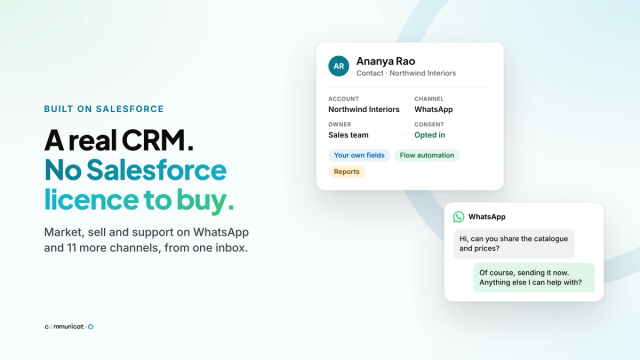
Connect your WhatsApp number, Instagram account and Facebook Page to a shared inbox such as Communicat-O. Messages from all three arrive in one place, every chat gets an owner, and each customer's conversations sit on one record whichever app they used. Each channel keeps its own rules, and the inbox works within them.
Who this is for
Businesses that get customer messages on more than one Meta app and answer them from different phones, tabs or logins.
Step by step
- Connect your WhatsApp number
Connect it to Communicat-O. If it is with another provider, you keep it and our team connects it with you.
- Connect your Facebook Page and Instagram account
Messenger messages and Instagram DMs then arrive in the same inbox.
- Set up routing
Send chats to people or teams by channel, in turn or by skill.
- Share replies and bots
Canned replies and EngageX bots work on every channel.
- Watch response times
Managers see which chats are waiting too long, on any channel.
The rules differ by channel
| Messenger | |||
|---|---|---|---|
| Reply window | 24 hours after the customer's last message or call | 24 hours after the customer's last message | 24 hours after the customer's last message |
| Starting a conversation | A template Meta has approved | The customer starts, or a private reply to a comment | The customer starts, or a private reply to a comment |
| Comments to private messages | Not applicable | One private reply within 7 days | One private reply within 7 days |
The inbox works within these rules, so your team doesn't track them by hand. Meta charges per message on WhatsApp; it doesn't charge for Instagram messaging.
Beyond Meta's apps
The same inbox takes Zalo, LINE, WeChat, Telegram, Viber, SMS and website chat, so customers in every market reach the same team.
Frequently asked questions
Do agents need a seat per channel?
No. One seat lets a person answer every channel. Each connected account, such as a WhatsApp number, an Instagram account or a Facebook Page, counts as one channel connection; see pricing.
Will the same customer on two apps show up once?
Their conversations sit on one customer record, so your team sees the whole history.
Do chatbots work on all three?
Yes. EngageX bots run on every channel and are included in every plan.
Can my team answer from their phones?
Yes, through the Salesforce mobile app.
Can I try it first?
Yes. Request a 14-day free trial and we set it up within one business day; onboarding is free and you keep your WhatsApp number.
For more insights, updates and expert tips, follow us on LinkedIn.
 Chat on WhatsApp