

Customer communication has evolved rapidly over the years, and businesses are always finding new and faster methods of connecting. One must think that emails and phone calls are the new way, it is not true. SMS lately has emerged as a powerful platform to connect and engage, and with conversations being managed in a CRM, the Salesforce SMS integration CRM has gained popularity.
The AI-based Salesforce text messaging software is an effort by the businesses to maintain transparency and centralise prospect communications, automate outreach, and improve the customer engagement – all in a single platform.
In this guide, we will walk you through a complete step-by-step guide on how to set up the Salesforce messaging CRM, why it matters, and how businesses benefit from it.
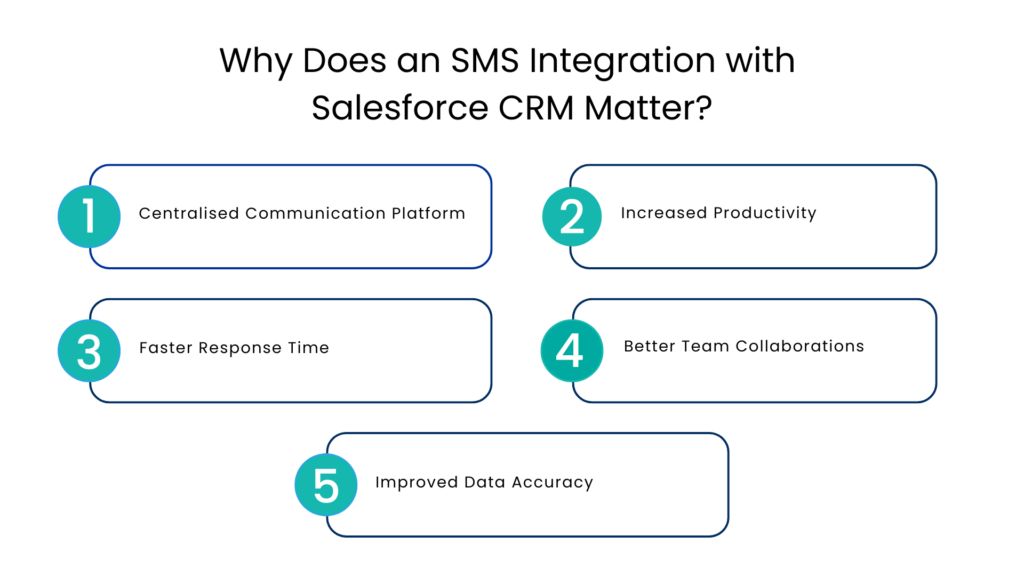
Why Does an SMS Integration with Salesforce CRM Matter?
As per the market analysis conducted in 2023, the SMS app users are expected to reach approximately 7 billion global users by the end of 2030. This indicates an increase of almost 92% as compared to the 3.6 billion users who were estimated to engage with the communication and smartphone messenger apps in 2022.*
With that increase projected, it is only natural for businesses to up their market strategy and game and utilize the platform in its full essence.
The Salesforce SMS integration CRM will not only allow the businesses to reach a wider audience but a good execution with AI enhancements will allow them to study the customers in detail and share personalised messaging that is relevant and that matters.
Centralised Communication Platform
The biggest advantage of an SMS integration for Salesforce is having a unified and common platform for all your user interactions. SMS conversations are automatically logged in the CRM, providing a complete communication history.
Increased Productivity
Manual logging of calls and texts consumes time. By integrating Salesforce with SMS – this process is automated, allowing teams to spend time on meaningful conversations rather than admin tasks.
Faster Response Time
SMS is an instant reply platform. Businesses leverage this promptness to give quick replies via AI automations and sometimes manual leads to improved engagement and higher conversion rates.
Better Team Collaborations
The shared access to team members allows them to pick up the conversation from the last point without asking repeat questions. This dramatically reduces the communication gaps and improves the overall customer experience.
Improved Data Accuracy
With the Salesforce SMS integration CRM, the data is synchronised in terms of contact information between systems, which eliminates all duplicate entries and completely avoids the risk of outdated entries or users.
3 Common Methods to Enable the Salesforce SMS integration CRM
To set-up a Salesforce SMS CRM integration there are 3 primary ways.
Native Add-Ons
Salesforce offers messaging features through add-ons like digital engagement tools. These allow businesses to send and receive messages within Salesforce but may require additional costs.
Third Party Integrations
The second way is to integrate Salesforce and SMS via a third party application. This allows for more flexibility, automation, and scalability.
Custom API Integrations
Developers can connect the SMS service using custom built APIs. This is the most used approach by businesses as it offers the maximum customisation but requires technical expertise.
6 Steps to Set Up Salesforce SMS Solution with Communicat-O
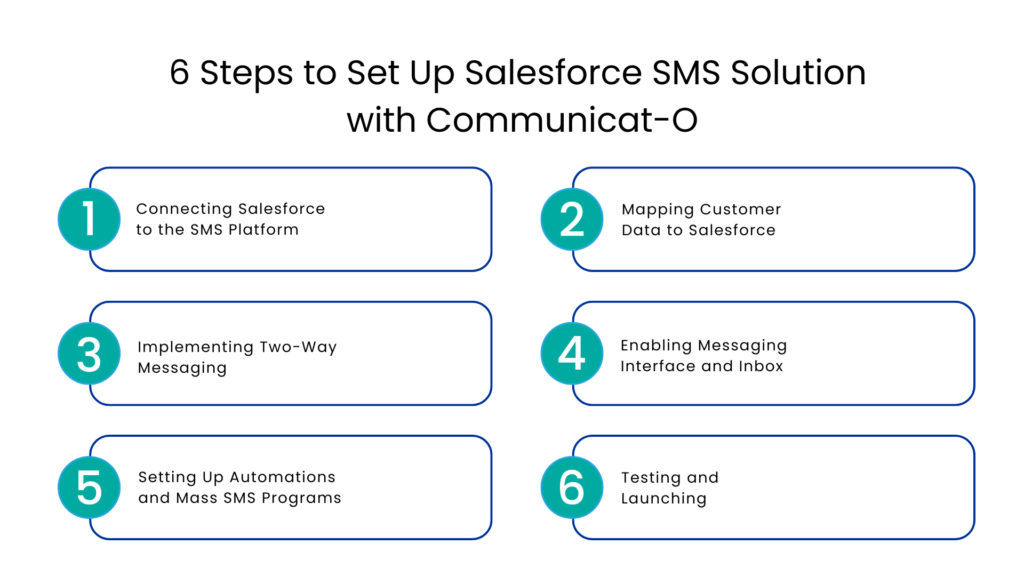
Connecting Salesforce to the SMS Platform
Begin with configuring and connecting the integration through API credentials or a connector. With that done, you will gain access to SMS functionality via Salesforce.
Mapping Customer Data to Salesforce
Pair fields from Salesforce like phone numbers, names, and leads/contacts with your messaging platform. In turn, messages will get to the right recipients and can even be tailored for them.
Implementing Two-Way Messaging
Configure a messaging number/Sender ID as well as inbound and outbound SMS features. You can now exchange messages in both directions with ease.
Enabling Messaging Interface and Inbox
Activate the in-CRM messaging interface (either chat or inbox-like interface). This allows managing all communications without leaving your CRM.
Setting Up Automations and Mass SMS Programs
Set up automations such as automatic replies, follow-ups, and mass SMS programs. This will make communication more efficient.
Testing and Launching
Test your SMS functionality, verify that logging works correctly in Salesforce, and look for problems with your automation. Then go live with your solution.
Ways To Streamline Your SMS Interactions Further
The Salesforce SMS integration offers several features that can be useful to businesses and can help them streamline the messaging game for deal closures. Try out the following SMS tools to make texting easier.
- SMS Templates → Helps you automate the responses to most commonly received texts. All teams, including sales, marketing, and customer service can use these templates to optimise texting workflows and free up time for other relevant tasks.
- Scheduled Messages → Helpful in cases where a client sits in a different timezone. The message scheduler allows you to schedule the same instead of leaving it to the next day. Eliminates the risk of not following up or missing out on a response.
- Auto Replies → Clients expect a quick response and you should not have to reply outside business hours. AI Automation takes care by responding to these leads even when you are not available. The messages can be tailored for missed texts, calls, and voice calls for accuracy.
- Automated Reminders → Set automatic reminders for meetings or any important events, and you can schedule the frequency. This helps in avoiding all no shows and ensures a proper demo and conversion within Salesforce.
Other Useful Features of the Salesforce SMS CRM
Apart from automated messaging and campaign set-ups, here is what an integration of SMS and Salesforce can do:
- Text Messaging – Two ways: Capability of sending/receiving messages directly in Salesforce.
- Workflows: Automated workflows such as triggering messages based on events like lead creation/updates in lead status.
- Group messaging: Capability of sending messages to multiple users.
- Logging: Storing of SMS log data in CRM database automatically.
- Multi-media feature: Sharing multi-media contents through the platform such as images and gifs etc.
- Analytical and reporting capability: Capability of tracking message open/deliver rates.
Future of Customer Engagement with Salesforce +SMS
As user needs evolve, SMS will increasingly become an essential communication tool. With automated messages, artificial intelligence-powered conversations, and real-time analysis, Salesforce SMS integration is predicted to become even more effective.
- By integrating SMS early, businesses can leverage a competitive advantage by offering instant and customized customer interactions.
- Align everyone on the same channel using shared phone numbers so that teammates can work together to assist customers.
- Leverage artificial intelligence in order to provide call recordings and other functionalities.
- Work smarter by automating and integrating systems.
- Get more phone numbers easily as you grow in order to ensure that callers get to their intended destinations.
- Establish relationships by using the mini-CRM tool with contacts and their specific properties.
Conclusion
Salesforce SMS Integration CRM is a necessity for every modern company striving to enhance communication, process automation, and customer interaction. It is important to mention that Salesforce does not have inherent SMS capabilities in its product range, but it still enables users to incorporate such abilities quite easily.
Through proper implementation, such as selecting an integration strategy, setting up messaging, and automating operations, organizations can maximize the benefits of integrating SMS into Salesforce.
When done right, integration will help save time, improve relations, increase response rates, and result in better outcomes.
FAQs
What is Salesforce SMS integration CRM?
The AI-based Salesforce text messaging software is an effort by the businesses to maintain transparency and centralise prospect communications, automate outreach, and improve the customer engagement – all in a single platform.
What are the key benefits of integrating SMS with Salesforce?
The core features of an SMS CRM include Centralization of customer communications, automation of outreach, improved customer engagement, and productivity, and better team collaboration are some of the key advantages of integrating SMS with Salesforce.
How can SMS integration facilitate customer engagement?
SMS integration increases customer engagement by ensuring fast messaging, personalized messages, and quick responses.
What does the future hold for integrating SMS into Salesforce?
In the near future, SMS will be considered a must-have for communication. Using automated messaging, artificial intelligence-based communication, and real-time analysis, Salesforce SMS integration is expected to become even more efficient.
Is there any facility to send SMS via Salesforce?
There is no facility for sending SMS via Salesforce. But Salesforce can easily integrate SMS tools without much trouble.
*Data Sourced from Statista
For more insights, updates, and expert tips, follow us on LinkedIn.