

With more than 78 million monthly active users and close to 2 billion messages sent every single day, it is the first place most Vietnamese customers go to ask a question, request a quote, or follow up on an order. The businesses winning right now are the ones that stopped treating Zalo as a side channel and connected it directly into their Zalo CRM.
That single connection changes what happens after someone sends the first message. Instead of a chat sitting in an app nobody checks consistently, it becomes a tracked, assigned, and measurable part of the sales pipeline.
The Real Cost Of A Disconnected Chat App
Imagine a sales team trying to handle Zalo on their phone, an Excel sheet for their leads, and a CRM database which is not being updated in real-time. The customer sends them a message at 9pm regarding the price. Nobody responds till the next afternoon. Till then, they have contacted two other competitors.
This is not a people problem. It is an infrastructure problem. Research from Harvard Business Review, based on an audit of over 2,200 US firms, found that companies contacting a lead within the first hour were nearly seven times more likely to qualify it than those who waited even a little longer, and that close to a quarter of companies never responded to inbound leads at all.
That gap between “message received” and “message actioned” is exactly where leads leak out of a pipeline unnoticed.
What Changes When Zalo Talks Directly To Your CRM
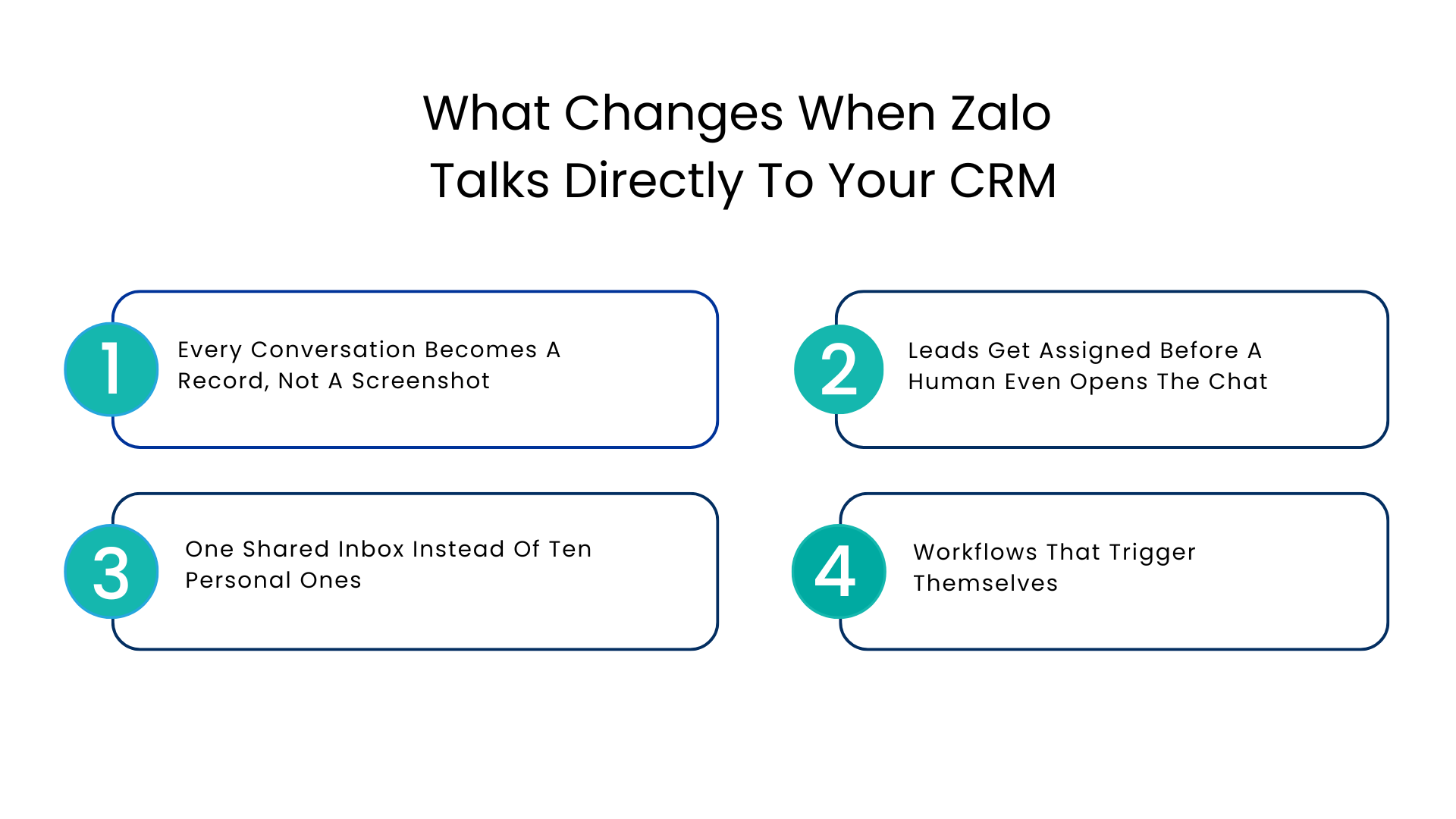
A proper Zalo CRM integration does three things at once: it captures the conversation, matches it to a customer record, and lets that record trigger the next action automatically.
Here is what that looks like in daily practice.
Every Conversation Becomes A Record, Not A Screenshot
When a new contact messages your Zalo Official Account, the system checks whether that number already exists in the CRM. If it does, the conversation attaches to the existing record. If not, a new one gets created instantly, name, number, and message history included.
No one has to manually copy details into a spreadsheet. No lead disappears because someone forgot to log it.
Leads Get Assigned Before A Human Even Opens The Chat
Through integration with Zalo OA, the system will be able to identify buying signals such as price inquiry or product inquiries from incoming messages and route them to the appropriate representative. The lead is routed to the proper pipeline stage with complete context, instead of waiting in the inbox for it to be noticed.
If a lead waits unattended for six hours, it’s not a problem with the lead. It is a routing problem.
One Shared Inbox Instead Of Ten Personal Ones
When every rep manages Zalo from their own phone, there is no shared visibility. One person goes on leave and their conversations go cold. A shared system fixes this by putting every conversation, across every agent, into one dashboard tied to CRM records.
- Deal stage and order history sit next to the conversation
- Any rep can pick up a chat without asking a colleague for context
- Nothing depends on one person’s personal device
Workflows That Trigger Themselves
A client requests a quotation. A proposal generation activity is automatically generated. The delivery is confirmed by them. The support request is closed without any manual intervention. Such automation sets apart simple messaging from true Zalo CRM integration.
Comparing The Two Ways Teams Currently Handle Zalo
| Approach | Standalone Zalo App | Zalo Integration CRM Solutions |
| Lead capture | Manual, prone to gaps | Automatic, tied to CRM record |
| Response speed | Depends on who is online | Routed and assigned instantly |
| Visibility | Limited to one device or person | Shared across the whole team |
| Follow-up | Manual reminders | Triggered by CRM workflow rules |
| Reporting | Little to no data | Conversion and response metrics tracked |
How This Plays Out In Retention, Not Just Lead Capture
Lead leakage gets most of the attention, but retention is where the same infrastructure pays off long after the first sale. A customer who has to repeat their order history to a new agent every time they message is a customer quietly deciding to shop elsewhere.
Context-Rich Follow-Ups
When customer data flows both ways, a message about a renewal, a delivery update, or a loyalty offer can pull directly from CRM history. That means the offer is timed and relevant instead of a generic broadcast that gets ignored or muted.
Support That Does Not Go Cold After Hours
Vietnamese customers frequently reach out outside standard business hours. An AI layer built into a Zalo CRM can handle simple questions immediately, using real CRM data rather than a canned “we will get back to you,” and flag anything urgent for a human the next morning.
A Realistic Scenario
The mid-size retail company using Zalo had good message flow but was unable to see where conversations led to a sale. The linking of the Zalo Official account with their CRM allowed them to pinpoint exactly how the conversations were getting lost and modify their strategy so that there were fewer leads that weren’t contacted for a day or more. Retention increased due to not having customers explain themselves to multiple representatives.
Where HubSpot And Salesforce Fit Into This
Plenty of teams already run Salesforce as their system of record. A HubSpot Zalo integration or a Salesforce-native one means conversations do not sit in a separate silo. The same lead scoring, pipeline stages, and reporting a team already relies on extends naturally into the messaging channel their customers actually use.
This matters because customer engagement research shows most marketing teams now juggle around ten different channels, yet even the strongest performers only manage to fully personalize a handful of them. Zalo multi-channel communication that reports back into a CRM is one of the more direct ways to close that gap rather than widen it.
A Practical Rollout Checklist
Teams that get the most value tend to follow a similar order:
- Connect the Zalo Official Account to the CRM before adding automation on top
- Set clear rules for how leads get assigned and scored
- Turn on automated triggers for common events like quotes and confirmations
- Add AI-assisted responses for after-hours coverage once the basics are stable
- Review conversion and response-time data monthly and adjust routing rules
Skipping straight to automation without clean data flowing in usually creates more noise than value.
What To Look For Before You Connect Zalo To Your CRM
Not every integration is built the same way. Before choosing one, check for:
- Two-way sync so conversations update the CRM and CRM changes reflect in the chat
- Role-based access and encryption for customer data
- Support for automation triggers tied to actual sales stages, not just message tags
- Reporting that connects chat activity to closed deals, not just message counts
- A proven Salesforce-certified Zalo connector track record if Salesforce is already the system of record
Conclusion
Zalo is not a side channel in Vietnam. It is often the primary one. Treating it that way means giving it the same infrastructure as email or phone: a shared record, automatic assignment, and visibility into what actually converts.
Teams that connect Zalo to their CRM the right way, using a setup like these tools provide, tend to see fewer leads sitting untouched, faster first responses, and customers who stick around because service feels consistent rather than repetitive.
If your team is still managing Zalo from a personal device or a separate app from the CRM, that gap is worth closing before the next quarter’s pipeline review. A short evaluation of your current messaging setup is usually enough to see where leads are quietly slipping through.
FAQs
What exactly does this mean when we talk about Zalo CRM?
This means that all of the information from Zalo messages, leads, and customer history are contained in one CRM record, rather than being in a separate messaging app and therefore having to be copied.
Can HubSpot support automatic Zalo lead assignments?
Yes, when configured properly, all of the messages received can be matched to contacts that already exist or create new ones, and then automatically routed to the appropriate representative based on predefined criteria.
Will this decrease the speed at which leads are processed?
It will do quite the opposite – the process of automatic routing and visibility will make the process faster than a team manually going through the Zalo app.
Is Zalo OA integration beneficial only for sales teams?
Absolutely not, in fact, small sales teams benefit from such integration even more, as every missed conversation can be critical for a small sales pipeline.
How is this going to increase customer retention?
Since all the contexts are consistent in all of the conversations, customers will not have to repeat themselves which will foster the necessary level of trust and prevent them from switching to another company.
For more insights, updates, and expert tips, follow us on LinkedIn.