

Instagram stopped being just a marketing channel a while ago. It is now where prospects ask pricing questions, where existing customers report problems, and where a huge share of first contact with your brand actually happens. The problem is that most sales and support teams still treat it like a side channel, checked between “real” tasks.
That gap is exactly where instagram CRM integration earns its keep. When Instagram conversations flow directly into your CRM, a DM stops being an isolated chat and becomes a lead, a case, or a data point your whole team can act on. This article skips the feature list and walks through eight practical workflows that make this connection actually useful, day to day.
Why Instagram Conversations Now Belong in Your CRM
The numbers make the case better than any pitch could. Meta reports that over 150 million people message businesses on Instagram every month, and 76 percent of them expect a reply within 24 hours. Salesforce’s own research adds another layer to this: 79 percent of customers expect consistent interactions across departments, yet 55 percent say it still feels like they are talking to separate teams.
That mismatch is where deals get lost and support tickets get duplicated. A prospect who DMs about pricing on Monday and emails your sales team on Wednesday should not have to repeat themselves. Instagram integration CRM workflows exist to close exactly that gap, by making sure every conversation lands somewhere your team can track, assign, and follow up on.
The 8 Workflows That Turn Instagram Chats Into Business Outcomes
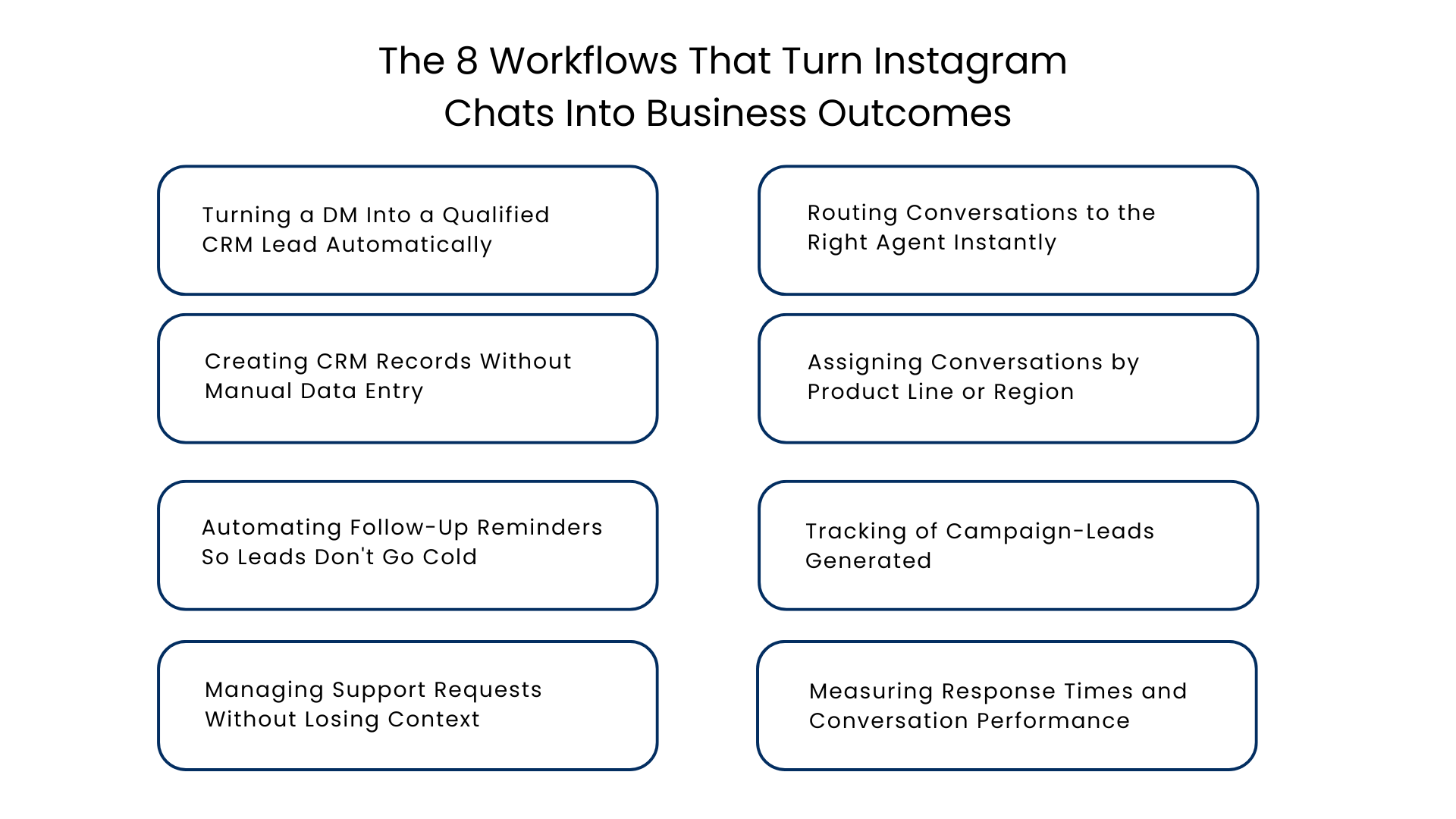
1. Turning a DM Into a Qualified CRM Lead Automatically
Scenario: The prospect sends you a message on Instagram regarding your product price or availability.
What’s wrong with manual handling: Somebody has to read the message and decide that this is a worthwhile sales lead before manually entering all information into the CRM.
How automation solves this problem: It’s the heart of Instagram DM automation with CRM integration – identifying the buying signal within a message and creating a lead out of this right away, complete with the full history of the conversation.
Outcome: No qualified prospect slips through because nobody had time to log them manually.
2. Routing Conversations to the Right Agent Instantly
Situation: Sales queries, billing concerns, and other support requests are sent via the same email box.
Why manual handling does not work: The situation is handled by the urgently available employee at that point of time without considering if they are a good fit and possess the query knowledge.
Why Choose Automation: The messages are routed automatically based on pre-defined rules. The AI algorithm matches the query to the most appropriate employee and carefully considers the customer query.
Result: Reduced conversation bounce rate and faster first reply.
3. Creating CRM Records Without Manual Data Entry
Scenario: A recurring customer sends a message about making a reorder.
Why manual process is ineffective: Either the agent has to look for the existing record manually or, even more frequently, creates a duplicate because looking for it is time-consuming.
What automation changes: It finds the existing record by means of Instagram handle, contact data, or makes a new one.
Benefit: Instead of several duplicates, there is only one correct record about the customer.
4. Assigning Conversations by Product Line or Region
Scenario: A multi-product or multi-region business gets Instagram inquiries about very different offerings from very different markets.
Why manual handling fails: A generalist agent answers a specialist question incorrectly, or a message sits unanswered while someone figures out who should own it.
How automation helps: Conversation assignment rules match inquiries to the right product team or regional group based on message content or account data.
Outcome: Customers reach someone who actually knows the answer, on the first try.
5. Automating Follow-Up Reminders So Leads Don’t Go Cold
Scenario: A potential client makes a query, gets an answer and falls silent.
Why manual handling doesn’t work: Agents do not prompt themselves to follow up on their own and the warm lead will turn cold within days.
How automation solves the problem: Follow-up prompts go off automatically after a certain period of silence to keep the conversation from slipping off of someone’s radar.
Result: More conversations receive follow up, which usually makes all the difference in converting a lead.
6. Tracking of Campaign-Leads Generated
Scenario: An advertising campaign on Instagram results in an increase in DMs, but there is no tracking for what happens beyond that.
Problem with Manual Management: Marketing and sales use two different datasets; hence, it is not possible to tell which campaign generated income.
With Automation: The conversation gets tagged as originating from the source campaign when it occurs, and this tag follows the lead through the pipeline.
Benefit: Marketing now gets to know which ad resulted in a sale.
7. Managing Support Requests Without Losing Context
Scenario: A customer raises a query through Instagram and then contacts via another channel two days later.
Problem with manual handling: Both channels are independent of each other, thus making the second agent unaware of what had been previously communicated and forcing the customer to repeat himself.
Solution through automation: The integration of cases and CRM will ensure that the entire thread is stored at one place, irrespective of the channel used by the customer.
Result: Reduced need for repetition and faster problem solving.
8. Measuring Response Times and Conversation Performance
Scenario: Management needs to see if their team is hitting the mark when it comes to responsiveness, but there is no easy method for doing this.
Why manual process will not work: The response times that are located within the native Instagram inbox cannot be analyzed by reporting software.
How automation will help: Conversational analytics will record response times, resolution rates, and volumes per agent/team and can be integrated into CRM systems.
Outcome: Managers can coach based on real data instead of anecdotes.
Manual Instagram Management vs Instagram CRM Integration
| Factor | Manual Instagram Handling | Instagram CRM Integration |
| Lead capture | Depends on someone remembering to log it | Automatic, tied to conversation |
| Response routing | First available agent answers everything | Rules-based routing to the right person |
| Customer history | Scattered across app and memory | Centralized in one record |
| Follow-up | Easy to forget | Reminder-driven |
| Reporting | Little to none | Real-time conversation analytics |
| Team collaboration | Screenshots and Slack messages | Shared inbox with notes and task assignment |
Workflow Summary Table
| Workflow | Primary Owner | Business Impact |
| DM to lead capture | Sales | Fewer missed prospects |
| Smart routing | Sales & Support | Faster first response |
| Automatic CRM records | Operations | Cleaner data, no duplicates |
| Product/region assignment | Sales | Right expert, first try |
| Follow-up reminders | Sales | Higher lead conversion |
| Campaign tagging | Marketing | Clear ROI attribution |
| Support case management | Support | Less repeated context |
| Performance analytics | Management | Data-driven coaching |
Implementation Checklist for Instagram CRM
Prior to implementation, make sure that you know the following things:
- You need to link your Instagram business account to your professional account
- You need to analyze the current number of conversations depending on types (sales, support, general)
- Develop your strategies on the basis of your current behavior instead of making assumptions
- Select the period for follow-up with leads
- Who will be in charge of tagging and reporting leads?
- The agents need to get trained in advance on the shared inbox and mobile functionality
- Evaluate your results after 30 days and adjust your strategies
Practical Recommendations
A few things separate teams that get real value here from teams that don’t:
- Start with routing and lead capture before adding more automation.
- Review conversation analytics monthly, not quarterly. Instagram behavior shifts fast.
- Keep a human in the loop for sensitive conversations. Automation should route and remind, not replace judgment.
- Make sure mobile access actually works, since much of Instagram activity happens outside desk hours.
Conclusion
All of these eight workflows do not necessitate a full operational revamp. All teams can begin with capturing and routing leads, adding reminders, tagging, and analytics as the workflow evolves. The one thing that runs through all these workflows is that instagram CRM integration means conversations no longer need to be ad hoc; they are transformed into actionable business operations because nothing relies on remembering to read a DM.
FAQs
Is the instagram CRM integration useful for both sales and support?
It is. Depending on your preferences, the same conversation may be routed to sales as leads and to support as cases based on your rules.
Should customers know about CRM connection to DM?
No. For customers, it remains exactly the same Instagram messaging experience without any knowledge of it being connected to your CRM.
What is the difference between a CRM integrated with Instagram and the one without?
Instagram’s native inbox lacks the ability to integrate with CRM, route conversations and generate reports. The connected one has lead capture, routing, automation and reporting in addition to the inbox conversations.
Who benefits from this more: small or big teams?
Usually, it is the small teams who get the most out of the integration due to automation covering things that otherwise should have required hiring of another agent to handle Instagram DMs.
When can one expect the results?
The results will usually start showing during the first two-three weeks after setup with the full benefit of reporting appearing after the whole month.
For more insights, updates, and expert tips, follow us on LinkedIn.