

Most customers today message a business the same way they message a friend. They expect a quick reply on WhatsApp, a comment answered on Instagram, or a Messenger chat that does not start from scratch every time. This is exactly why a Meta Integration CRM approach has become a practical necessity rather than a nice-to-have feature for growing teams.
Integrating Meta CRM into your daily workflow means connecting WhatsApp, Facebook, and Instagram directly to the system your sales and support teams already use. Instead of switching between five apps to answer one customer, everything lands in a single place, tied to the right contact record.
Why Do Customer Conversations Keep Slipping Through the Cracks?
Most teams are not short on channels. They are short on connection between them.
Where the Disconnect Usually Shows Up
- Sales reps check Instagram DMs from their own phone, outside any shared system
- Support agents watch Facebook comments in a separate browser tab
- Marketing sends WhatsApp broadcasts from a tool that never talks to the CRM
- No single record shows a customer’s full history across channels
Why This Costs More Than It Looks Like
The research carried out by Meta on trends in business messaging revealed that 72.4% of consumers believe they are more likely to purchase from a brand that uses messaging as a means of communication. The same study also showed that 75.1% of consumers expect to message a business just like they do when sending messages to their loved ones, and not through support tickets.
Conversations that exist outside of the CRM prevent one from routing the conversation, following up on time, and tracking how one makes conversions. This is the issue that needs to be solved.
What Actually Happens with the Meta Integration CRM?
Integrating Meta CRM does not mean building something from scratch. Most businesses use a CRM messaging integration layer that sits between Meta’s channels and Salesforce, so conversations, lead data, and customer history sync automatically in both directions.
In practical terms, this includes:
- WhatsApp Business messages that come directly in Salesforce contacts or leads records
- Facebook Messenger messages that have the complete history and not only the latest one
- Instagram Direct messages and comments delivered to the correct team
- Facebook Lead Ads directing leads directly to Salesforce records
The result is one unified inbox for every Meta channel, connected to the CRM data your teams already rely on for reporting and follow-up.
Salesforce as the Hub for Meta Conversations
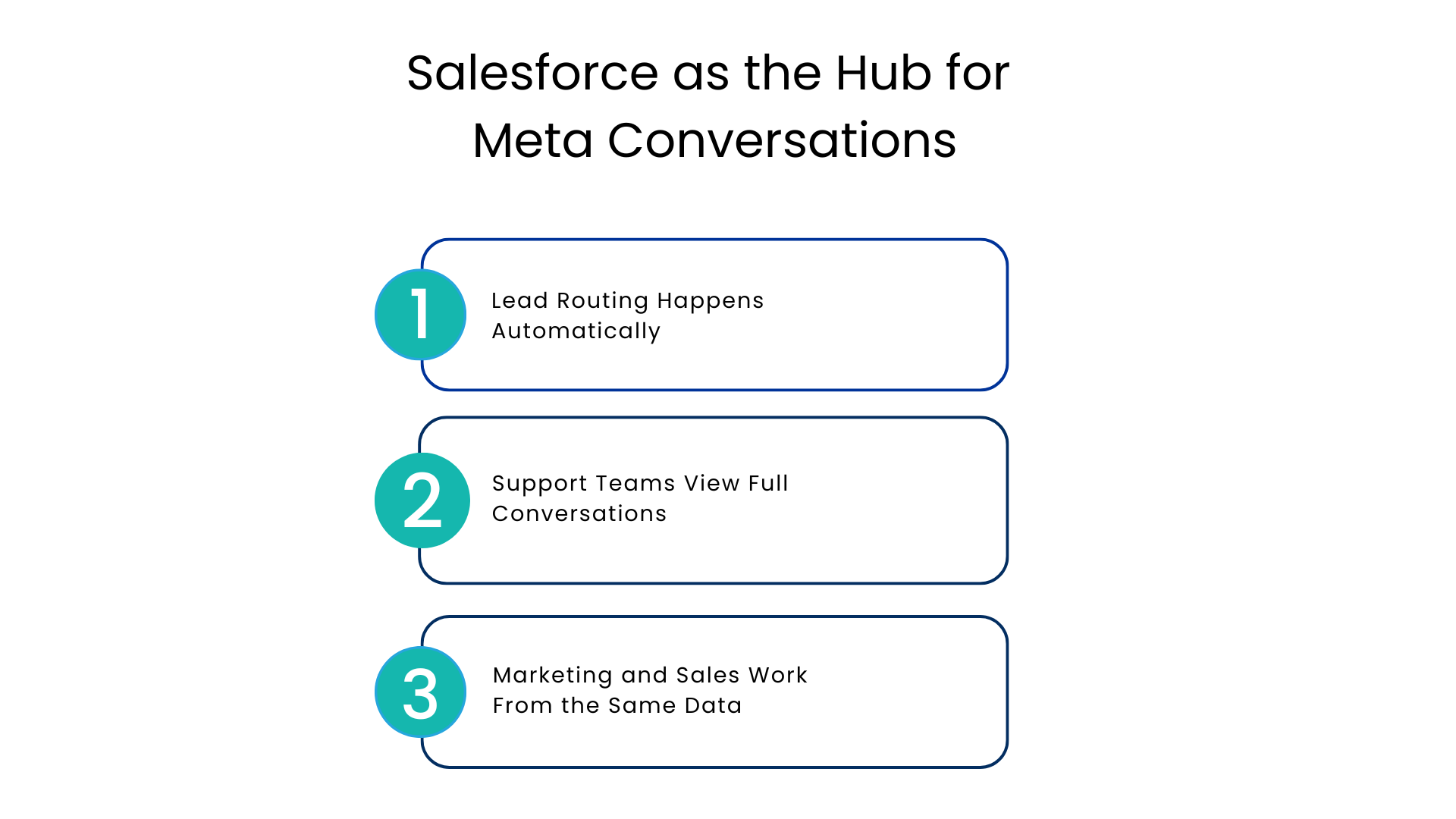
A Salesforce Meta integration turns your CRM from a static record-keeping tool into an active communication hub. Instead of logging into Meta Business Suite separately, agents work from inside Salesforce, where every message is already tied to the correct customer profile.
This matters for three reasons.
Lead Routing Happens Automatically
As soon as you acquire a new lead via a Facebook Lead Ad, it will automatically be routed to the appropriate salesperson based on geography, interests, or work schedule. This means that there will be no need to manually export leads from the Meta Business Suite CRM tools.
Support Teams View Full Conversations
The client, who reached out on Instagram a month ago and contacted support again via WhatsApp, does not need to repeat the story. This is because all the conversations are saved in one contact record.
Marketing and Sales Work From the Same Data
Marketing automation and sales workflows both draw from the same source of truth. A customer who clicked a WhatsApp campaign link and later asked a question on Messenger shows up as one connected journey, not two disconnected events.
A unified customer record does more for conversion rates than any single messaging channel on its own.
A Real-World Scenario: Retail Lead Capture to Sale
The Old Way
Picture a retail brand running Facebook Lead Ads for a seasonal promotion. Without integration:
- Leads land in a spreadsheet, not the CRM
- Someone manually uploads them to Salesforce a day later
- The sales team follows up only after the customer has already lost interest
The Connected Way
With Meta integration CRM in place, the same lead moves through a very different path:
- The lead flows into Salesforce within seconds of the form submission
- A WhatsApp welcome message goes out automatically
- A sales rep is assigned based on product category
- The full conversation, from the first Messenger question to the final WhatsApp order confirmation, stays attached to one record
This is the kind of workflow automation that turns a slow, manual process into a same-day sales conversation, and it is the difference between a lead that converts and one that goes cold.
Choosing the Right Integration Approach
Every business may not require the same configuration. The following table illustrates three approaches that are commonly considered by teams with Meta integration CRM.
| Approach | What It Involves | Best Fit For |
| Manual export and import | Downloading leads and messages, uploading to Salesforce by hand | Very small teams with low message volume |
| Native Meta Business Suite only | Managing WhatsApp, Facebook, and Instagram inside Meta’s own tools | Teams not yet using Salesforce for customer communication |
| Salesforce-native messaging platform | Full two-way sync between Meta channels and Salesforce records | Growing sales and support teams that need speed and accuracy |
For most enterprises with active sales and support functions, the third option removes the manual work while keeping Salesforce as the single system of record.
An Implementation Checklist Before You Go Live
Before rolling out Meta automation for CRM across your team, walk through this checklist:
- Confirm your WhatsApp Business, Facebook, and Instagram accounts are verified and connected
- Map lead routing rules based on territory, product line, or team workload
- Set up a shared inbox so no message from any channel goes unanswered
- Decide which conversations are handled by chatbots and which need a human agent
- Test conversation history syncing across channels before full rollout
- Train agents on how to assign conversations to specialists when needed
- Set up analytics and KPIs to track response time, conversion rate, and customer satisfaction
Working through this list before launch prevents the most common early mistakes, like leads falling through gaps or agents missing context on returning customers.
Where Automation Fits Without Replacing the Human Touch
What Automation Should Handle
AI-powered automation works best on repetitive, low-judgment questions, such as:
- Order status and delivery updates
- Business hours and location details
- Basic product or pricing questions
What Should Stay with a Human Agent
Automation frees human agents to focus on conversations that need judgment, empathy, or a more detailed explanation, such as complaints, negotiations, or anything emotionally sensitive.
The goal is not to automate every conversation. It is to make sure routine questions get answered instantly while complex ones reach the right person with full context already visible.
A Natural Rollout Path
Many teams start with WhatsApp integration for order updates and support, then expand into Facebook Messenger and Instagram once the workflow proves out. Voice-based follow-ups can also be layered in through WhatsApp calling inside Salesforce for time-sensitive conversations that need a real-time exchange instead of text.
Getting Started Without Overcomplicating It
Businesses that succeed with this kind of setup usually start small. They connect one channel, prove the workflow works, then expand. Trying to integrate every channel and automation rule on day one tends to create more confusion than value.
A simple starting sequence looks like this:
- Connect your highest-volume channel first, often WhatsApp or Facebook Messenger
- Set up lead routing and a shared inbox before adding chatbot automation
- Layer in Instagram and additional channels once the first workflow is stable
- Review analytics monthly and adjust routing rules based on real response data
Conclusion
It’s not like customers will stop communicating with companies the same way they communicate with each other.
The issue is straightforward: Are those communications happening within a system that your team can respond to, or are they all over the place in different apps that no one monitors?
A Salesforce-native Meta Integration CRM messaging solution that unifies WhatsApp, Facebook, and Instagram into one CRM workflow turns scattered conversations into a connected customer journey, one your sales, support, and marketing teams can all see and act on together.
FAQs
What’s the distinction between the Meta Business Suite and a CRM integration?
Meta Business Suite handles your Meta channels separately. By integrating the CRM all your messaging channels are unified within Salesforce creating an automatic sync in your messages and leads.
Do I need to be a tech guru to integrate my Meta platform with CRM?
With technology advancing, high developer intervention is not required. The system itself takes care of the technical part and can handle most glitches allowing you to manage your Salesforce workflows effortlessly.
Are Facebook Leads generated from Facebook Lead Ads imported automatically to Salesforce?
Yes. It is possible to import leads from Facebook Lead Ads to Salesforce automatically.
Is WhatsApp Business API required for Salesforce Meta integration?
Yes, companies usually require a verified account from WhatsApp Business API.
How soon can Meta CRM be integrated with Salesforce?
The time frame will depend on the number of channels and how clean your existing data is, but many companies can make their first channel active within a few days after verification.
For more insights, updates, and expert tips, follow us on LinkedIn.