

Most missed follow-ups are not caused by a lack of effort. They happen because a rep is juggling ten conversations across LINE, email, and a CRM tab that is never quite up to date. LINE CRM solutions solve a narrower problem than “better communication.” They solve the problem of repetitive follow-up work eating time that should go to conversations that need a person.
CRM LINE Integration connects LINE conversations to CRM records, so reminders, status updates, and basic follow-ups can run on their own while sales and service teams focus on the messages that actually require judgment.
Automation Should Handle the Repetition, Not the Relationship
There is a significant distinction between task automation and relationship automation. Task automation is a reminder for a scheduled meeting. Relationship automation on the other hand is the dialogue during which the client gives reasons for not signing.
CRM-connected LINE workflows are built for the first category. A rule tied to a deal stage or a CRM field can trigger a LINE message without anyone typing it manually. That frees up time, but it only works well when the messages it sends are genuinely repetitive: confirmations, reminders, status notices. The moment a conversation needs interpretation, it needs a person.
Where Follow-Ups Make the Biggest Difference With LINE CRM Solutions
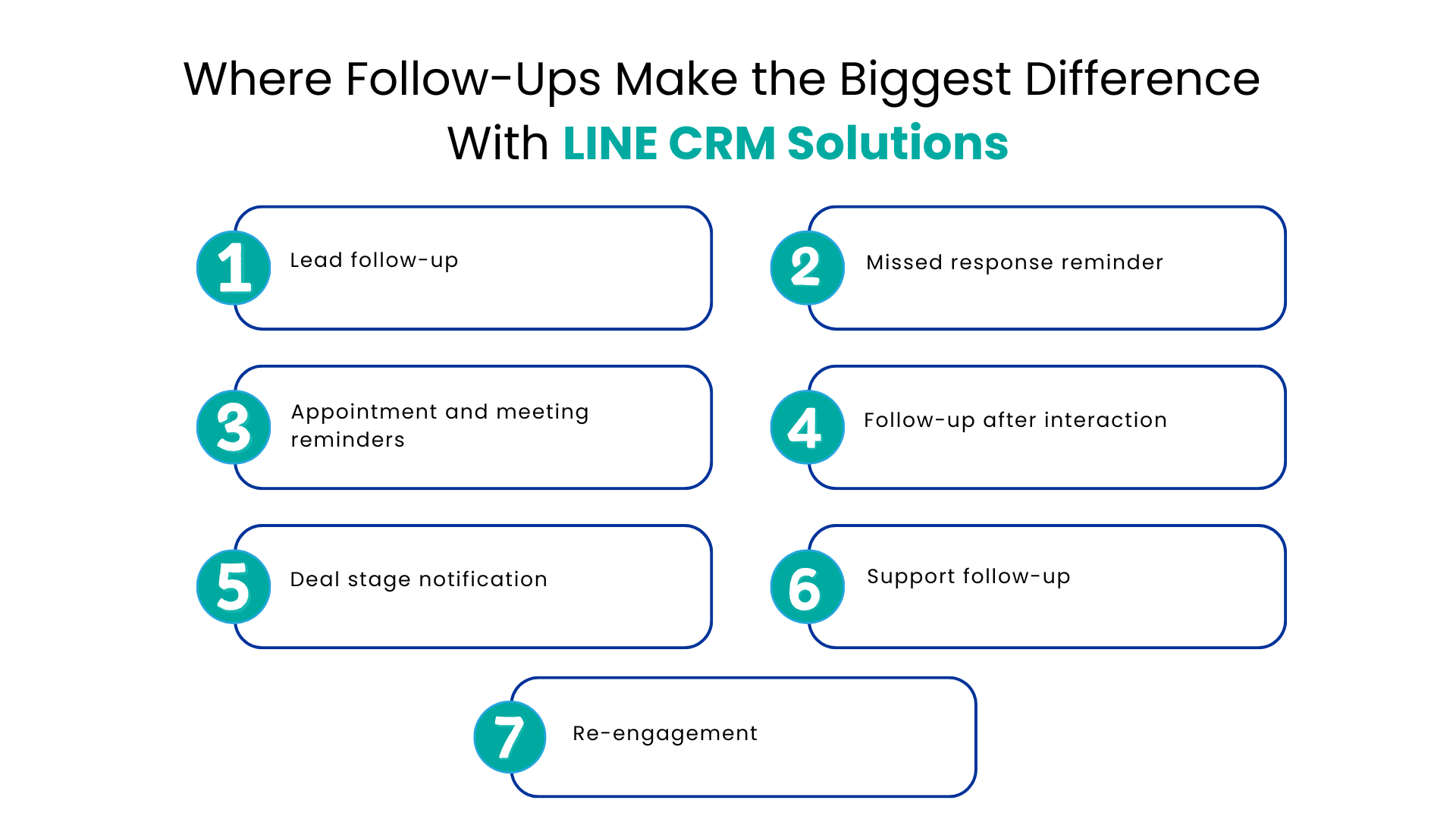
Not every follow-up deserves the same amount of attention. Some of the most common candidates for automation include:
- Lead follow-up: Initial contact made soon after the lead is logged into the CRM, meaning the first reply is not contingent on the lead being seen in the alerts
- Missed response reminder: Reminder about a lead that has gone dark, timed to ensure it is not too aggressive
- Appointment and meeting reminders: Simple confirmation reminders linked to an appointment
- Follow-up after interaction: a post-visit, demonstration, or support call reminder
- Deal stage notification: Notifications that the deal has progressed to ensure the customer is kept updated automatically
- Support follow-up: A post-closed ticket reminder
- Re-engagement: Automatic reminders to contacts that have gone cold
All of these have one thing in common: the content of the communication is formulaic enough to be automated using templates and CRM data.
How CRM Data Keeps Automated Messages Relevant
Automated does not have to mean generic. The difference usually comes down to what data the message pulls from. LINE CRM solutions can reference:
- Customer name and basic profile details
- Conversation history and prior LINE exchanges
- Current deal or case stage
- Product or service interest
- Timing of the last interaction
- Relevant notes logged by a rep
Not all CRMs are set up to do that automatically, and not all workflows require all these fields. However, when the follow-up refers to the actual content of the previous conversation rather than just repeating the general script, it seems thoughtful instead of automated. That is the real test of whether it is worth sending out the automatic message.
When Should a Human Take Over?
Some situations are well suited to automation. Others need a person almost immediately.
| Situation | LINE CRM Solutions & Automation | Human involvement |
| Routine reminder | Strong fit | Not always needed |
| Appointment confirmation | Strong fit | Optional |
| Simple status update | Strong fit | Usually unnecessary |
| Customer objection | Limited | Important |
| Complex product question | Limited | Recommended |
| Negotiation | Poor fit | Essential |
| Sensitive complaint | Poor fit | Essential |
The pattern is straightforward: the more a conversation depends on interpreting intent, emotion, or nuance, the less suited it is to a scripted message. Automation should get a conversation started or keep it moving, not carry it through the parts that require judgment.
What CRM LINE Integration Changes for the Sales Team
Centralizing LINE conversations inside the CRM changes daily habits more than it changes strategy. Reps stop switching between a messaging app and a CRM tab to find the same information twice. Conversations, deal context, and customer history sit in one place through a unified messaging platform, so anyone picking up a chat can see what already happened.
It also helps facilitate coordination on the inside. The discussion can be assigned to the appropriate individual, the progress can be monitored, and the workflow can be triggered automatically without anyone having to log it into Salesforce manually. Integration of Salesforce and LINE messaging service would mean that discussions from LINE would show up in the context of Salesforce records, hence no need for another app for reps to see them.
A Practical Follow-Up Workflow
A typical sequence looks like this:
1. A customer messages the business through LINE.
2. The conversation is connected to the relevant CRM record.
3. Existing customer or lead information becomes visible alongside the chat.
4. A workflow rule triggers an appropriate follow-up based on CRM activity.
5. The customer responds.
6. The conversation is routed or made visible to the right team member.
7. A person takes over once the exchange needs judgment rather than a template.
8. The full interaction stays part of the customer record for the next follow-up.
None of these steps require replacing a rep’s judgment. They just remove the manual work of noticing, remembering, and re-explaining context every time a conversation resumes.
LINE CRM, LINE OA, and CRM Integration: How They Fit Together
The terms surrounding this space are somewhat overlapping, and here is a brief explanation to clarify it all. LINE OA, an acronym for LINE Official Account, is the business messaging account that is used by a firm in communicating with its customers via the LINE network. LINE’s official accounts can link to external platforms via their Messaging API. This is the main thing that makes it possible to have LINE CRM integration. LINE CRM means any arrangement where that account is integrated into the customer information system.
The specifics vary by provider. Some integrations are built specifically for Salesforce, syncing conversations directly into CRM records. Others target different CRMs. The search for LINE CRM Solutions for HubSpot, for instance, reflects demand for similar functionality on a different platform, though the depth of that integration depends on the specific tool being evaluated.
What to Check Before Automating LINE Follow-Ups
Before turning on automated LINE messaging, it helps to check a few things:
- CRM integration: can the integration process seamlessly integrate with the existing CRM
- History of the conversation: does the history of previous conversations remain and visible to the person responding to the chat
- Workflows: can the chat message be linked to CRM workflows, e.g., when the deal status changes
- Personalization: is it possible to customize messages based on real CRM fields and not templates; does the system provide assistance in composing messages via AI?
- Human handoff: how easily can a person step into an automated conversation
- Shared visibility: can teams see and assign conversations without switching tools
- Message tracking: are delivery and response data available for review
- Security and data handling: how is message data stored and protected
- Mobile accessibility: can teams respond outside the office where needed
Not every provider covers all of these equally well, so it is worth confirming against the specific product rather than assuming.
Conclusion
LINE CRM solutions work best when automation and human judgment are assigned to the tasks they actually suit. Reminders, confirmations, and routine updates can run on CRM triggers. Objections, negotiations, and sensitive conversations still need a person who has the full context in front of them.
But if your organization is handling LINE follow-ups manually, or even dealing with both LINE and your CRM as two different applications at once, you might want to consider looking into where your organization’s redundant processes occur, and how a CRM messaging integration provider can help reduce these processes on your team’s shoulders.
FAQs
Are CRM solutions able to automate LINE follow-ups?
Yes. CRM solution linked to a LINE Official Account is able to initiate follow-ups based on specific workflow conditions such as changing deal stage and reminding, without a rep having to send each follow-up manually.
How does CRM LINE Integration ensure context in conversations?
Through linking LINE conversations to a CRM record, thus maintaining conversation history, deal stage and previous notes for any rep taking care of a particular chat.
At what point should a conversation initiated via LINE Official Account require switching to a human agent?
Immediately after an objection, a tricky question, negotiation or any other emotional involvement in a conversation. Automation can handle routine information updates only.
Is there a way to connect LINE Official Account to a CRM?
Yes. A LINE OA is able to link to a CRM solution via integration platform that makes conversations, contacts and workflow triggers interchangeable between platforms.
How does Salesforce enable LINE-driven communications with customers?
Salesforce can support LINE chat sessions within CRM records through integration and enables representatives to have access to LINE chats within the CRM.
For more insights, updates, and expert tips, follow us on LinkedIn.