
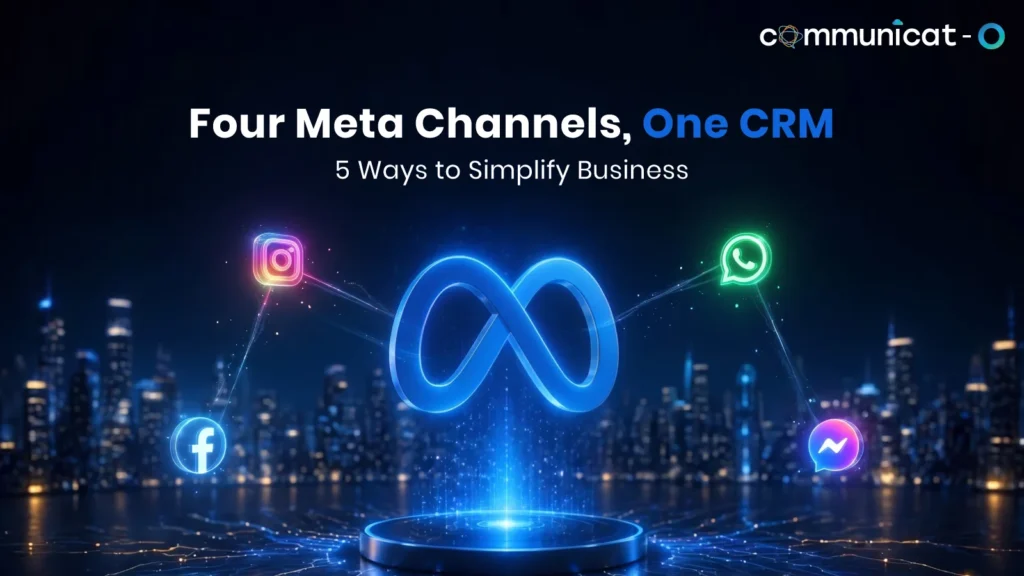
Customers rarely stick to one channel. They click a Facebook ad, ask a question on Instagram, and confirm an order on WhatsApp. A Meta business integration connects these channels to your CRM, so every conversation lands in one customer record instead of a separate app.
This guide covers five practical ways that connection simplifies daily work, from a shared inbox to reporting. Each one includes a scenario you can compare with your own team’s routine.
1. Give Every Meta Conversation One Home
A shared inbox within the CRM integrates Messenger, Instagram DMs, and WhatsApp messages in one place. The messages are all attached to the correct contact, meaning that there’s no need for anyone to wonder who the customer is and what they last asked.
Customers expect this ease. Meta’s 2026 State of Business Messaging report surveyed 11,056 consumers across 22 markets. It found that 72.4% are more likely to buy from a brand that offers messaging, and 75.1% want to message businesses the way they message friends and family. For your team, that means replies must feel quick and personal, which is hard when three apps each hold a partial picture.
Suppose there is a regional electronics retail company. A customer contacts the company regarding the availability of laptops through Instagram, and then later contacts the same company regarding delivery dates through WhatsApp. An agent in the shared mailbox sees that the Instagram query has already been noted down and responds to both queries together.
What the team gains
- The agents answer from one screen without changing to another application
- Contacts are automatically generated, while the existing ones are updated
- Conversations can be assigned to a specialist without forwarding screenshots
- A unified inbox for every Meta channel keeps reporting in one place
2. Turn Lead Ad Enquiries into Assigned Records
Facebook and Instagram Lead Ads collect names and phone numbers quickly, but the details sit inside Meta until someone exports them. A connected CRM creates the lead record as soon as the form is submitted. It can then route the lead by territory, product interest, or working hours.
A seasonal promotion, step by step
Imagine a furniture retailer running a festive lead ad.
Without a connection
The leads come in through a spreadsheet. They are uploaded the following day, and contact is made when the shopper has left.
With a connection
The lead appears in the CRM soon after the form is sent. A rep is assigned by product category, and a WhatsApp welcome message goes out to customers who agreed to receive one. When the shopper later asks a question on Messenger, it lands on the same record.
In addition to a Meta business integration, there is also another silent source of errors that gets eliminated. Entering names and digits manually in the CRM can lead to mistakes and duplicates as well as prospects who will never be called.
3. Keep Customer Context Across Channels
People switch channels mid-conversation. Someone may ask about pricing on Instagram, follow up on Messenger, and send an order question on WhatsApp. When all three land on one record, the agent sees the full story and the customer never repeats it.
| Customer touchpoint | Handled in separate apps | Handled in the CRM |
| Instagram pricing question | Sits in one person’s DMs | Logged on the contact record |
| Messenger follow-up | A new agent starts from zero | The agent reads the earlier chat first |
| WhatsApp order query | Support cannot see the sales history | Support sees the thread across channels |
| Campaign link click | Tracked, if at all, in Meta tools | Visible to sales beside the contact |
For example, take a customer who made an order last month, and he is writing to you on Messenger about his delayed package. With both order information and the previous chat on WhatsApp in front of you, you will be able to give a straight reply.
Sales, support, and marketing then work from one source of truth. A promotional message sent right after an unresolved complaint is a common misstep, and shared history makes it easier to avoid.
4. Automate the Routine and Keep People for the Rest
Automation earns its place on repetitive questions. Sorting conversations into two groups keeps it useful.
Good candidates for automation
- Order status and delivery updates
- Opening hours and location details
- Basic product or pricing questions
- First replies and follow-up reminders outside office hours
Better handled by a person
- Complaints and refunds
- Price negotiations
- Anything emotionally sensitive
The reply generated by the AI along with handover to humans will enable the bot to respond to queries through the live CRM database late into the night and then handover to an agent with all previous conversation details. Imagine there is a coaching academy and it gets a query late into the night about timing of the batch.
Timing matters on WhatsApp. Meta’s documentation explains that a customer message opens a 24-hour customer service window, and outside it only approved template messages can be sent. Automated follow-ups and clear assignment help your team reply inside that window.
5. Connect Conversations to Revenue Reports
Meta tools show impressions and clicks. The CRM shows pipeline. Until the two meet, nobody can say which channel produced which deal.
When messaging lives inside the CRM, you can review:
- Response times by channel
- Lead conversion by channel
- Agent performance beside pipeline data
- Link clicks on campaign messages
It’s not about the creation of yet another dashboard; it’s about the ability to answer some practical questions, like whether Instagram contacts should have higher priority in terms of routing compared to Facebook contacts, or where there tend to be hang-ups in the discussion process.
Marketing teams gain too, because campaign messages and the replies they trigger can be judged together rather than in separate tools.
Start With One Channel, Then Expand
A Meta business integration works best when it is rolled out in stages. Switching on every channel and rule on day one usually creates confusion, and it makes problems harder to trace. A Meta messaging platform built for your CRM makes the staged approach easier.
1. Make sure that your WhatsApp, Facebook, and Instagram accounts are all verified
2. Start with your most active channel, probably WhatsApp
3. Configure your routing and shared inbox before bots
4. Verify that conversation histories are synced across all channels
5. Analyze performance data monthly and tweak your strategy
Integrating Meta CRM channels in this order keeps each step easy to measure.
Questions to ask before you choose a solution
- Is the message syncing supported in both directions and with Salesforce?
- Is it supported for all Meta channels that your customers use?
- Do agents see all the history in the contact record?
- Is handover to a person simple when a bot reaches its limit?
- Can an admin change routing rules without a developer?
Conclusion
The five changes add up: one inbox for all Meta channels, lead ad enquiries that become assigned records, context that follows the customer, automation with human backup, and reporting that ties messages to revenue. Together they remove the copying and checking that slow teams down.
A Meta business integration will not fix a weak sales process, but it gives a good one room to run. A well-planned Meta Integration CRM setup also keeps your data in one place as messaging grows.
FAQs
What does connection of Meta channels with the CRM imply?
This implies synchronization of WhatsApp, Messenger, and Instagram conversations and lead data with customer records automatically. The integration of Meta accounts saves time of manual exports and app switching because all teams operate from one system.
Is it possible to manage Facebook, Instagram, and WhatsApp conversations using Salesforce?
Yes, with the help of messaging layer created for Salesforce. Agents respond to users from the CRM and messages are attached to contacts or leads. Usually, WhatsApp requires verification of WhatsApp Business account.
How can CRM integration help to manage leads from Meta Lead Ads?
Leads get automatically populated in the CRM without any export, which means that lead record is created right after form submission. Routing rules can assign the lead based on region, product, or schedule.
Is it possible to track conversations of customers on different channels?
Yes, when each channel is linked to the same contact then the record will contain all the data about the user. Agent can read question from Instagram and respond to the user in WhatsApp.
How can automation help in multi-channel customer communications?
Automation responds to frequently asked questions and initial responses around the clock, then transfers tricky queries to humans along with the history. Keep difficult subjects for humans, and comply with the 24-hour WhatsApp guideline.
For more insights, updates, and expert tips, follow us on LinkedIn.