

Most buying guides for an AI messaging platform for Salesforce start with a list of features. That is the wrong place to start. The real question is simpler: can your team reply to a customer, on whatever channel that customer picked, without leaving Salesforce or losing the history of the conversation.
Automation gets a lot of attention in these conversations, and it deserves some of it. But automation is only half the job. The other half is whether SMS, WhatsApp, RCS, and every other channel actually live inside the CRM record, so a rep never has to piece together context from three different tabs. That distinction is what separates a genuinely useful platform from a chatbot bolted onto a website.
Why automation alone keeps falling short
AI could easily draft the response within a few seconds. AI is not able to solve the problem of responses landing in an entirely different application which is completely unconnected to the deal, case, or even account record.
This gap shows up in how customers actually behave. A recent Gartner survey found customers increasingly turn to outside AI tools instead of a company’s own chatbot, and they still expect a clear path to a human agent whenever AI is involved. In other words, the presence of AI is not the selling point. Reliable resolution is.
That is why a serious evaluation looks past the AI label and asks a few blunt questions:
- Does the bot really get things done, or only produce text that needs to be sent by a human?
- Are all the channels tracked with the same customer file, or spread out in different tools?
- Can an agent pass on a chat midway without making the customer repeat themselves?
None of these questions show up in a typical vendor demo unless you ask directly. Most demos are built around a convenience path: one channel, one scripted conversation, one clean example. Real customer conversations rarely stay that tidy, which is exactly why the evaluation should stress-test edge cases, not just the polished walkthrough.
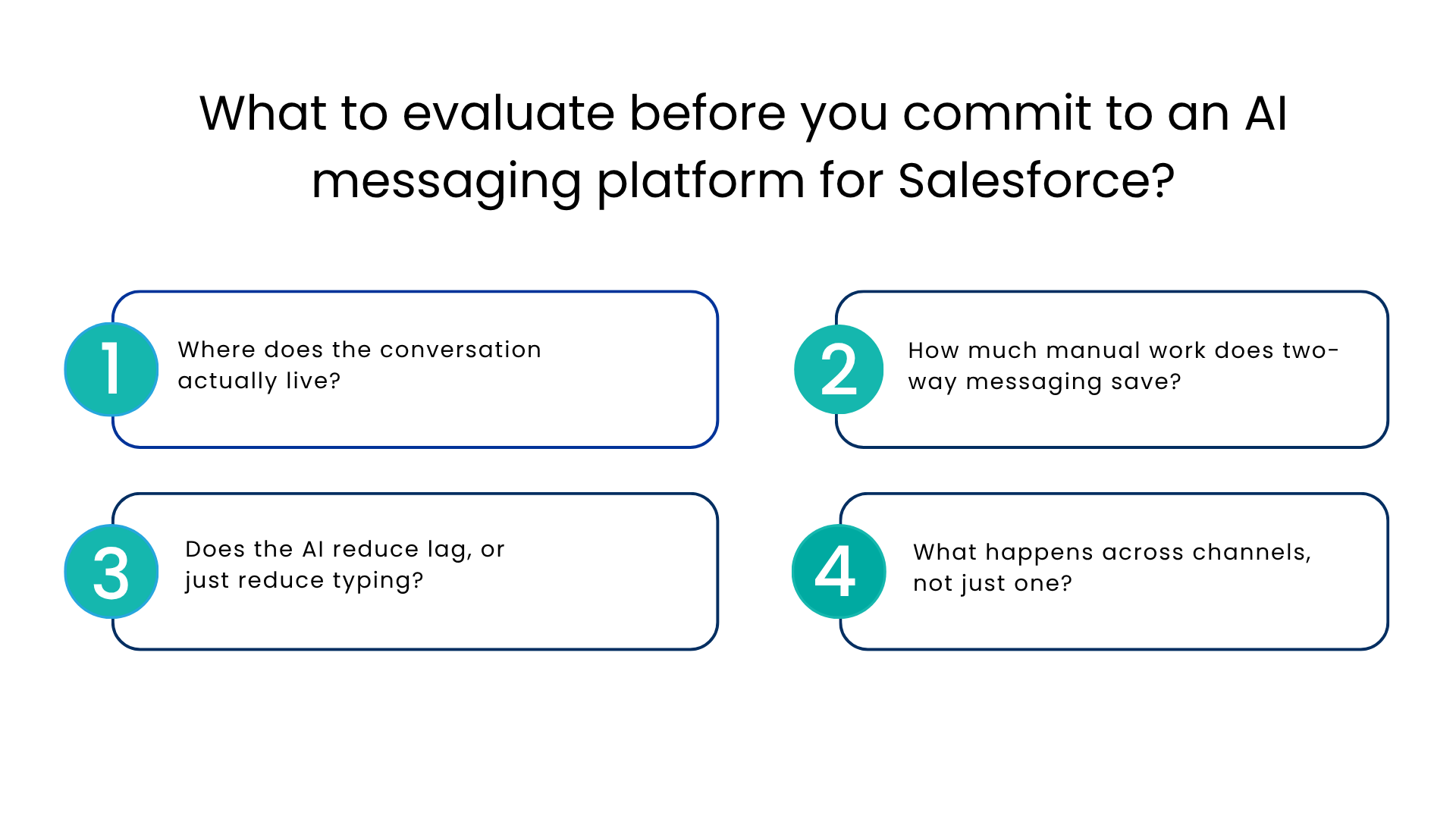
What to evaluate before you commit to an AI messaging platform for Salesforce?
Choosing the right setup is less about picking the flashiest AI feature and more about matching capabilities to how your team actually works. Here is a practical framework.
- Where does the conversation actually live?
With replies external to Salesforce, you’re doubling your reps’ data entry work, and your reports are making assumptions. With a native messaging solution for Salesforce, all texts, chats, and replies will be linked back to your lead, contact, or case record.
- How much manual work does two-way messaging save?
Two-way SMS should mean real conversations, not one-way blasts. Look for shared inboxes, quick-reply to templates, and the ability to assign a thread to the right person without forwarding screenshots.
- Does the AI reduce lag, or just reduce typing?
The value of the AI messaging platform for Salesforce is speed to first response and consistent follow-up, not just grammar correction. Ask any vendor to show, not describe, how a lead gets a reply within minutes of an inbound message.
- What happens across channels, not just one?
A platform built only for SMS will eventually box you in. A unified communication platform that also handles WhatsApp, RCS, Instagram, and similar channels avoids a second procurement cycle a year from now.
Native versus bolt-on how the options actually compare
Businesses generally land on one of three approaches when they want to integrate SMS with CRM. Here is how they hold upside by side.
| Approach | How it works | Where it tends to break |
| Standalone SMS tool plus manual copy-paste | Texts sent from a separate app, then logged into the CRM by hand | Slow, error-prone, and impossible to scale past a small team |
| Zoho CRM SMS Integration or similar third-party add-on | SMS routed through a connector into a non-Salesforce CRM | Works fine if your CRM is not Salesforce, but adds a second system for Salesforce-first teams |
| Salesforce-native enterprise messaging solution | SMS, WhatsApp, and other channels built directly into Salesforce records | Requires evaluating vendor reliability, but avoids duplicate systems entirely |
For teams already running their pipeline in Salesforce, the native approach usually wins simply because it removes an entire category of manual reconciliation.
Where two-way SMS fits into a bigger channel strategy
There is no doubt that SMS messaging remains the king of all the communication channels. Text messages tend to be opened and read within minutes compared to emails, which explains the reliance of sales and customer support on CRM for text messaging when anything needs to be confirmed quickly from appointments to deliveries and even reminding customers about a pending deal.
However, text messaging no longer tends to be used by itself nowadays. The customers switch between different channels such as WhatsApp and social media according to their mood. It would not make much sense to force them to use only one channel for the whole conversation. CRMs designed for SMS marketing do not seem to be complete in this case since they fail to support other channels the customer might use.
A practical scenario worth picturing
Picture a sales rep managing forty active leads. A prospect texts back at 6 p.m. asking about pricing. With SMS CRM built into Salesforce, that reply appears against the lead record instantly, the AI drafts a suggested response based on the deal stage, and the rep sends it from their phone in under a minute. No app switching, no forgotten follow-up, no lead going cold overnight.
Multiply that across a full pipeline and the time saved is not marginal. It is the difference between leads that get worked in real time and leads that quietly die in a separate inbox nobody checks after 5 p.m.
Rolling it out without disrupting your current stack
A clean rollout checklist keeps this from turning into a six-month project:
- Confirm which channels your customers actually use before adding new ones
- Map existing SMS or messaging data that needs to migrate into Salesforce
- Set clear escalation rules for when AI drafts a reply versus sends one automatically
- Pilot with one team or region before a full rollout
- Train reps on shared inbox etiquette so threads do not get double-answered
- Review analytics after 30 days to catch gaps early
Conclusion
Do not turn on every channel at once. Start with the one or two channels carrying the most volume today, prove the workflow, then expand into a broader unified messaging platform once reps are comfortable.
Channel flexibility has its internal benefits as well. If all channels provide the data in the form of one AI messaging platform for Salesforce, then managers can see such things as reaction time, number of unresolved threads, and workload of the reps all in one place instead of combining the information gathered from three different tools. Such an approach becomes crucial when there are more than a few reps.
FAQs
Do I need a separate SMS service if I’m using Salesforce?
No, because Salesforce integration provides native two-way texting capabilities. A separate tool implies that someone will have to enter information manually and there is no continuity of the customer history.
What’s the difference between an AI messaging platform for Salesforce and a simple auto responding bot?
A simple autoresponder sends the same response to everyone. Messaging based on AI suggests that a response is drafted according to the deal, case or interaction history, including automatic creation of a workflow.
Does SMS still have value given all chat applications around?
Yes, SMS is currently one of the quickest ways of sending a notification to someone, not to mention that it doesn’t require a dedicated application installation.
How quickly can one expect to deploy SMS capability into CRM?
With Salesforce native SMS capability it takes only about several weeks to test the technology on one use case. The number of other platforms added depends on how many channels you want to connect.
CRM for marketing campaigns via SMS or CRM for two-way service conversations?
The former is specifically designed for marketing purposes, whereas the latter is needed by the service and sales teams because their conversations are two-way linked.
For more insights, updates, and expert tips, follow us on LinkedIn.