

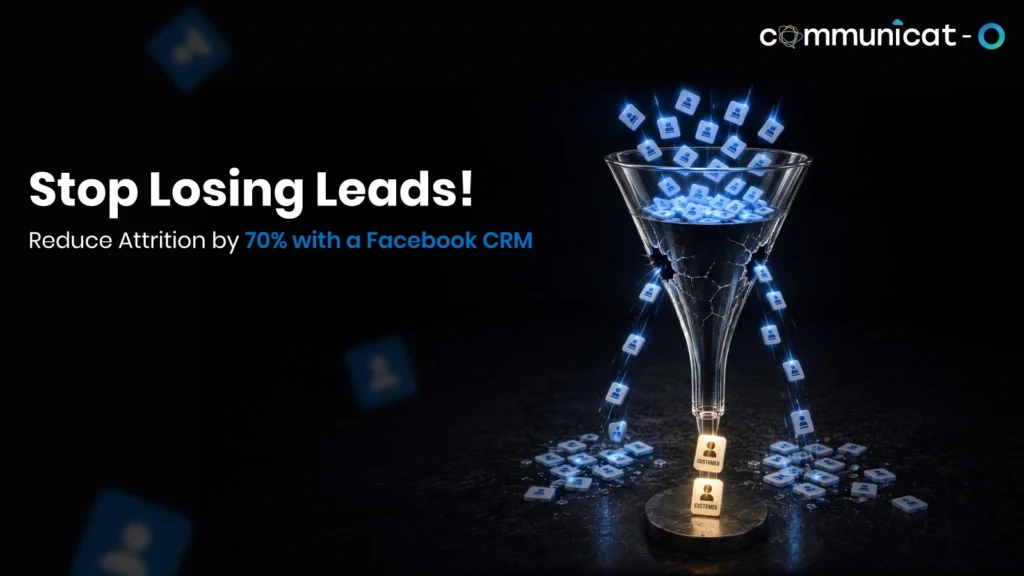
A Facebook messenger CRM Integration doesn’t fail at the first message. It fails right after, when a person asks a question, shows real interest, and waits while that conversation sits in a shared inbox with no clear owner. That gap is where social leads quietly disappear.
Automated triggers close that gap. Instead of relying on someone to notice a new message and manually create a lead, a Messenger CRM integration can turn the conversation into a structured record the moment it happens, then decide what should happen next.
The Real Gap Starts After the Messenger Conversation
The first contact is usually not the issue at hand. Organizations tend to respond pretty well when the first request for information comes through. The real problem begins after that point: no one does anything about it, the contact gets lost, or the prospect is never entered into any system that a sales rep could use to pursue it.
The Messenger conversation itself is only another piece of text sitting in your inbox. It has no status, owner, or next action. That’s the problem that triggers solve.
Turn the First Message Into a CRM Record
The first practical step is making sure every meaningful Messenger interaction becomes something the CRM can track. When a person sends a message, comments on an ad, or responds to a lead form, a Facebook messenger integrated system can automatically create a new lead or contact, or match the message to a record that already exists.
Why this is important: Lead loss occurs during manual entry. If an individual has to manually enter the name and message into Salesforce, it will happen only if the information is remembered, and that too after it’s too late.
This step usually involves:
- Creating a lead/ contact if there is no match
- Matching an existing contact based on their name/phone number/ Facebook profile
- Recording the source as Facebook or messenger
Capture the Context, Not Just the Contact Details
Names and numbers alone are not sufficient for salespeople to start a meaningful conversation with prospects. It is through context, such as what they asked for and how they reached out that makes the difference.
A good Facebook Messenger integration CRM system provides the necessary context attached to each contact record as follows:
- The message content or a summary of the conversation
- Timestamp of first and most recent contact
- The campaign, ad, or post that triggered the interaction
- Any form data submitted alongside the message
Without this, a salesperson calling a lead starts from zero. With it, they open the record and immediately understand what the person wants.
Let Intent Trigger the Next Action
Not every message deserves the same response. A trigger is a predefined rule that tells the CRM what to do when a certain kind of event happens. Once a conversation is inside the CRM, triggers can evaluate what it contains and route it accordingly.
Common trigger conditions include:
- New lead in Messenger with no past history
- Message including any mention of price/cost
- Product-related general inquiry
- Request for appointment/callback
- No response from the business in a set time frame
- Existing contact that has previously communicated
Inquiries about prices are a better buy signal than general inquiries such as “tell me more,” so it could be considered an immediate notification to a salesperson.
Route the Conversation Before It Goes Cold
Now that the trigger has recognized the type of interaction that occurred, the follow-up question is who will respond to it. With automated routing, the interaction is routed to someone or a group according to the criteria set out by the company, rather than whoever is available. Factors for routing might include:
- Team or department (sales, support, a specific product line)
- Territory or region
- Type of enquiry (pricing, general information, complaint)
- Current workload, so leads aren’t piled onto one person
This is where a Facebook CRM integration reduces handoff delays. Instead of a message sitting until someone notices it, it lands directly with the person best positioned to respond.
Keep Follow-Up Moving Without Manual Reminders
However, having a lead connected to the appropriate person means nothing unless something else is done. The process of automated follow-ups eliminates the need to have somebody remember to contact the person.
Actions performed via automation may include:
- Assigning the relevant rep with a deadline to do a task
- Sending out a notification in case of no response to the message within a certain time period
- Forwarding a request to the manager in case of no follow up
- Scheduling an automated confirmation in case of receiving the message after working hours
Scenario 1: A prospect asks “How much does this cost?” through Messenger. The system identifies them, updates their lead record, flags the message as a pricing enquiry, notifies the assigned salesperson, and creates a same-day follow-up task, all without anyone watching the inbox at that moment.
Scenario 2: A lead requests an appointment outside business hours. The workflow logs the request, sends an automated acknowledgment, and creates an action for the team responsible for scheduling.
Track the Conversation Beyond the Inbox
Once a lead is captured, routed, and followed up with, the CRM becomes the place where the full picture lives, not the Messenger inbox: the original conversation, current lead status and owner, sales activity, follow-up history, and the original campaign source, all in one record.
Scenario: A repeat customer contacts once more, some days later. Instead of being treated as an entirely new contact, the previous communication history is brought up in the system, allowing for a much smoother interaction.
Build a Simple Trigger-Based Workflow
Here’s how the pieces fit together:
| Trigger | CRM action | Why it matters |
| New Messenger enquiry | Create or update lead | Prevents the lead from being lost |
| Pricing or cost question | Mark as high intent, notify rep | Speeds up follow-up on a strong signal |
| Appointment request | Create task, route to relevant team | Keeps scheduling requests from stalling |
| No response after set time | Create follow-up reminder | Keeps leads from going cold |
| Returning contact | Surface prior conversation history | Gives the rep context immediately |
This structure doesn’t need to be complicated. Most businesses start with two or three triggers and expand as the workflow proves useful.
Measure Whether Automation Is Actually Helping
Establishing the triggers is easy; determining whether they’re effective involves measuring a few performance metrics:
- Time between Messenger query and first reply
- Ratio of leads allocated to an owner compared to unallocated leads
- Ratio of leads receiving any follow-up action at all
- Ratio of Messenger conversations converted to qualified leads
- Leads without activity recorded after initial contact
There’s no universal target for any of these. The right benchmark depends on the sales cycle, lead volume, and how the business defines a qualified lead. What matters is tracking the same indicators consistently, so a slow or improving month becomes visible.
Meta’s own Messenger Platform documentation notes that businesses generally have a limited window to respond to a person after they message, which is one reason response-time tracking matters more for Messenger than for slower channels like email.
Salesforce as Part of This Workflow
Salesforce supports this kind of setup by giving businesses a place to route incoming work, a lead, a case, or a messaging conversation, to the right person automatically. Salesforces’ Omni-Channel documentation describes how work items get routed to available team members based on rules like skill or capacity, the same logic behind Messenger conversations flowing into a Facebook messenger CRM Integration.
Conclusion
A Messenger conversation is only the beginning. The value of a Facebook messenger CRM Integration comes from what happens after that first message: turning it into a structured record, triggering the right next action, assigning ownership, following up consistently, and tracking the outcome. None of this guarantees a sale, but it helps reduce missed follow-ups and gives sales teams far more context than a raw inbox ever could.
Since you still rely on people manually monitoring Messenger and then following up, it might be worthwhile to examine your process and see if your workflow is capturing and tracking these conversations, or if the leads are just falling through the cracks.
FAQs
What is the integration between Facebook Messenger and CRM?
The connection between the Messenger conversation and the CRM, where all information related to messages, leads, and chat history would become a part of a trackable process instead of remaining an isolated part of a social inbox.
What is the way that the use of automated triggers will help not to miss any social lead?
In this case, triggers are used when a certain condition happens, such as a new message or lack of responses to determine that the lead doesn’t depend on somebody’s noticing. The system creates the record, notes intent and handles it by itself.
Can conversations through Facebook Messenger be linked to an already existing record of the CRM?
Yes, the integration connects the messages coming from Facebook Messenger with existing contacts on the basis of identifiers, and therefore, returning customers appear with a previous record.
What metrics should businesses measure after Messenger integration with a CRM?
It would be useful to focus on response time, assign rate, follow up completion, and conversion rate of conversations to qualified leads.
For more insights, updates, and expert tips, follow us on LinkedIn.