How real estate developers use WhatsApp, from enquiry to handover
30 November 20265 min read
On this page
- The nine stages at a glance
- From launch to qualified enquiry
- Keeping buyers interested between enquiry and site visit
- Running site visits from the shared inbox
- Bookings, payments and construction updates
- Possession on the same record
- One inbox for projects, brokers and post-sales
- Bots and AI without losing the human touch
- Keeping marketing and utility messages apart
- FAQs
Your buyers already message you on WhatsApp. They ask for brochures, check prices, confirm site visits and, months later, ask when the next construction update is due. The real question is whether those conversations sit on individual agents' phones or in one system your whole company can see.
This guide covers WhatsApp for real estate developers across the full buyer journey, from launch to possession. For each stage, you will see what to send, which message type to use and how your team handles the replies in Communicat-O. For the wider product picture, start with WhatsApp CRM for real estate.
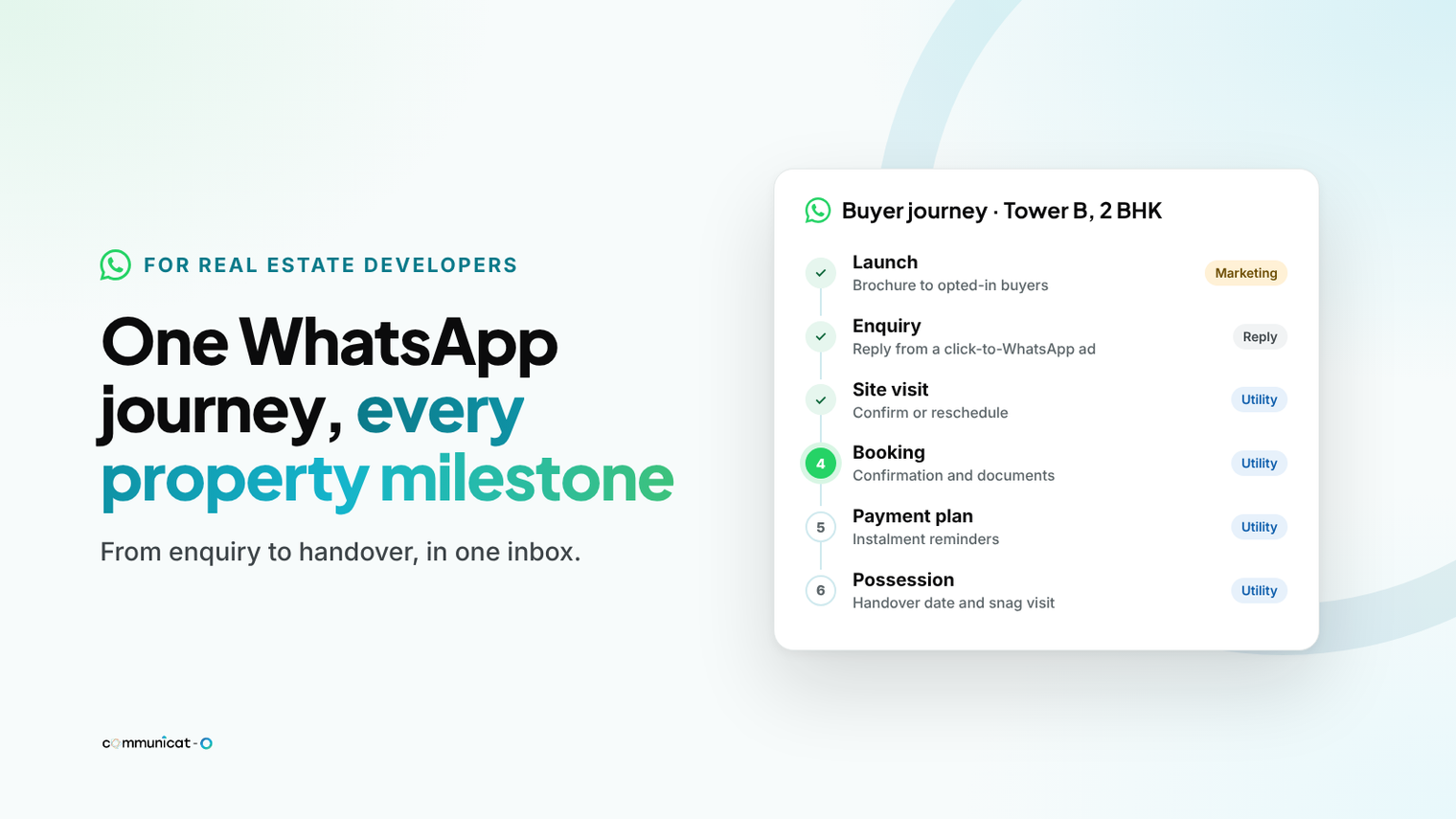
The nine stages at a glance
Send messages only to buyers who have opted in. Communicat-O keeps each contact's opt-in and opt-out on their record.
| Stage | What you send | Message type | How Communicat-O handles it |
|---|---|---|---|
| Launch | Launch announcements, brochures and price-list availability | Marketing template, to opted-in contacts | Broadcast to a chosen list, now or on a schedule. Replies return to the shared inbox |
| Enquiry | Replies to click-to-WhatsApp ads, hoarding numbers and comments on Instagram or Facebook project posts | Reply. Free for up to 7 days when the buyer came from an ad and you answer within 24 hours | Each project's number goes to its own sales team. A bot asks budget and unit type first. A keyword in a comment sends a private reply |
| Nurture | Follow-ups after an enquiry or site visit, on day 1, day 3 and day 7 | Marketing or utility template, depending on content | EngageX follow-up sequence, branching on the buyer's answers |
| Site visit | Visit confirmation and a reminder the day before | Utility template with "Confirm visit" and "Reschedule" buttons | Scheduled reminder. The answer goes to the buyer's agent |
| Follow-up | Floor plans, photos and answers to buyer questions | Reply inside the 24-hour window | Saved replies that fill in the buyer's details. Files shared in the chat |
| Booking | Booking confirmation and documents | Utility template, with files in the chat | Every message and file on the buyer's record |
| Payment plan | Demand letters and instalment reminders | Utility template, with no offers in it | Salesforce Flow sends the template when a payment falls due |
| Construction | Progress updates with photos | Utility or marketing, depending on content | Scheduled broadcast to the project's opted-in buyers |
| Possession | Handover date, snag visit details and documents | Utility template | Routed to the post-sales team, with the full history |
From launch to qualified enquiry
A launch starts with a broadcast. You pick a list of opted-in contacts and send an approved template now, at a set time or on a repeat. Every reply lands in the shared inbox, linked to the buyer's record, so sales sees the interest straight away.
Enquiries also arrive from outside your contact list. A buyer might tap a click-to-WhatsApp ad, message the number on a hoarding, or comment on an Instagram or Facebook project post. A chosen keyword in a comment sends an automatic private reply, which moves the conversation into a chat.
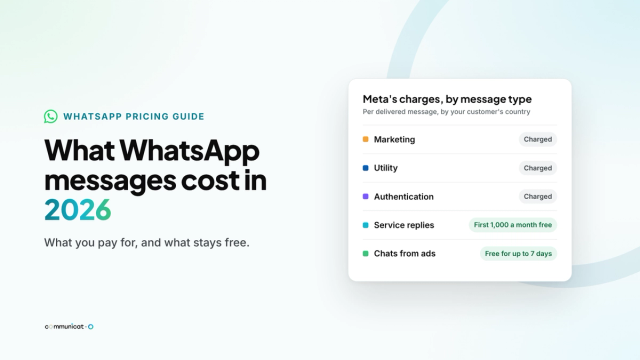
When a buyer comes from a click-to-WhatsApp ad and you answer within 24 hours, Meta doesn't charge for your messages for up to 7 days. In an ordinary chat, Meta has charged for replies since 1 October 2026, after 1,000 free service messages per number each month. What WhatsApp messages cost in 2026 explains the rules.
Each project's number can go to its own sales team. Before an agent steps in, an EngageX bot can ask for budget and preferred unit type, so the agent opens the chat with context. The WhatsApp channel page covers everything else the channel can do.
Keeping buyers interested between enquiry and site visit
Most buyers don't decide after one conversation. EngageX follow-up sequences send the next message after a wait you set, such as day 1, day 3 and day 7.
A sequence can branch on the buyer's answers. A buyer who asks about two-bedroom units gets a different follow-up from one who asks about three-bedroom units. When the buyer replies, the chat moves to the agent's inbox.
Choose the template type by what the follow-up says. A message that promotes a payment scheme is marketing. A message that confirms a visit time is utility.
Running site visits from the shared inbox
Send a confirmation when the visit is booked and a reminder the day before. Use a utility template with "Confirm visit" and "Reschedule" buttons. The buyer's tap goes to the assigned agent, so nobody has to chase a reply.
After the visit, the conversation becomes a normal sales chat. Agents use saved replies that fill in the buyer's details, and they share floor plans and photos directly in the chat. Internal notes let the next person see what was discussed, so the buyer doesn't repeat themselves.
Bookings, payments and construction updates
When a buyer books, send the confirmation as a utility template and share the documents in the chat. Because every message and file sits on the buyer's record, the post-sales team doesn't need to ask sales for copies.
Payment reminders can run on their own. Salesforce Flow sends a utility template on WhatsApp when an instalment falls due. Keep these reminders transactional. If you add an offer, the template becomes marketing.
Construction updates follow the same logic. A scheduled broadcast with progress photos reaches the opted-in buyers of one project. A purely informational update can be a utility template; one that promotes something is marketing.
Possession on the same record
Possession is where many developers lose the thread, because the buyer moves from sales to post-sales. In Communicat-O, the handover date, snag visit details and documents go out as utility templates. Replies go to the post-sales team, who see the complete conversation history from the first enquiry.
One inbox for projects, brokers and post-sales
Developers rarely run a single project with a single team. Communicat-O's shared inbox lets you organise the work like this:
- Each project or office can have its own WhatsApp number.
- The broker desk can have its own number and queue.
- Queues, assignment rules, round robin and skills-based routing decide who answers.
- A returning buyer goes back to the same agent.
- Transfers between staff keep the conversation history.
- Managers see response times and reports.
- Agents can reply from the Salesforce mobile app.
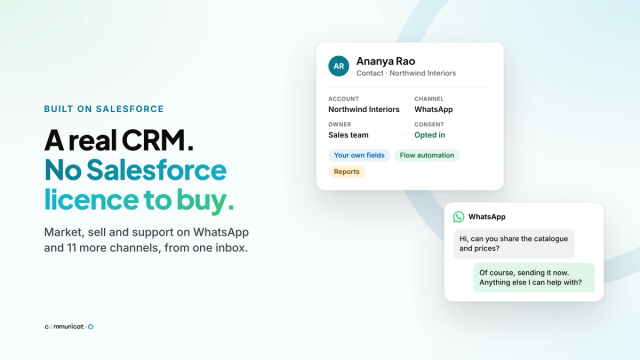
Communicat-O is built on Salesforce. Each customer gets their own workspace, with contacts and accounts, custom fields, Flow automation, reports, dashboards and Salesforce's security. There is no Salesforce licence to buy. For the wider view of real estate messaging, see the real estate solution page.
Bots and AI without losing the human touch
Two tools handle the routine work, and they do different jobs.
EngageX builds no-code bots and customer journeys. It asks the first questions, such as budget and preferred unit type, and sends follow-up sequences after a set wait. It is included in every plan, with no limit on bot runs.
mAI is Communicat-O's AI agent, and it is a paid add-on. It can:
- reply to customers on its own
- answer from your own knowledge base, such as project documents
- hand the chat to a person, with a summary
- suggest replies to your agents
- summarise conversations.
Picture a buyer who asks about a project late at night. mAI answers from your project documents. When the buyer asks for a personal walkthrough, mAI hands the chat to a sales agent with a summary. Your team still owns the relationship; the tools handle the first steps.
Keeping marketing and utility messages apart
Use marketing templates for launches and promotions, sent to opted-in contacts. Use utility templates for booking confirmations, payment reminders and possession updates. The content decides the category, not the stage: a payment reminder with an offer in it becomes marketing.
FAQs
Can each project have its own WhatsApp number?
Yes. Each project or office can have its own number, and each number can go to its own sales team.
Can brokers message from the same system?
Yes. A broker desk can have its own number and queue in the same shared inbox, and managers see its response times alongside the rest of the team.
Can we send payment reminders automatically?
Yes. Salesforce Flow sends a utility template when an instalment falls due. Keep offers out of it, so it stays a utility message.
What happens when a sales agent leaves?
The chats stay on the buyer's record. You transfer them to another agent, who sees every earlier message.
Can we keep our existing WhatsApp number?
Yes. If you are switching from another provider, you keep your WhatsApp number, and onboarding is free.
For more insights, updates and expert tips, follow us on LinkedIn.
 Chat on WhatsApp