What WhatsApp messages cost in 2026, explained
30 November 20266 min read
On this page
- How WhatsApp message charges work in 2026
- The four types of WhatsApp messages and what they cost
- What changed on 1 October 2026?
- What WhatsApp messages are still free?
- How to keep your WhatsApp bill under control
- How messaging is billed on Communicat-O
- Plan your WhatsApp budget before your next campaign
- FAQs
Meta charges for WhatsApp Business Platform messages one delivered message at a time. The price depends on the message category and the recipient's country calling code. That is the core of WhatsApp message charges in 2026.
One change matters most for your budget. Since 1 October 2026, replies inside the 24-hour customer service window are charged too, after 1,000 free service messages per business phone number each month. This guide shows what you pay for, what stays free and how to keep costs in check.
How WhatsApp message charges work in 2026
Meta replaced conversation-based pricing with per-message pricing on 1 July 2025. In practice:
- Meta charges when a message is delivered, not when it is sent.
- Meta charges for messages from your business to the customer. Messages your customers send you are not charged.
- The message category sets the price: marketing, utility, authentication or service.
- The recipient's country calling code sets the price, not where your business is.
- Each message belongs to one category and carries one charge.
Meta can revise its rate cards, but only on the first day of a quarter. This guide does not quote rates. Check Meta's rate cards for current figures, and see WhatsApp Business API pricing for the wider picture.
The four types of WhatsApp messages and what they cost
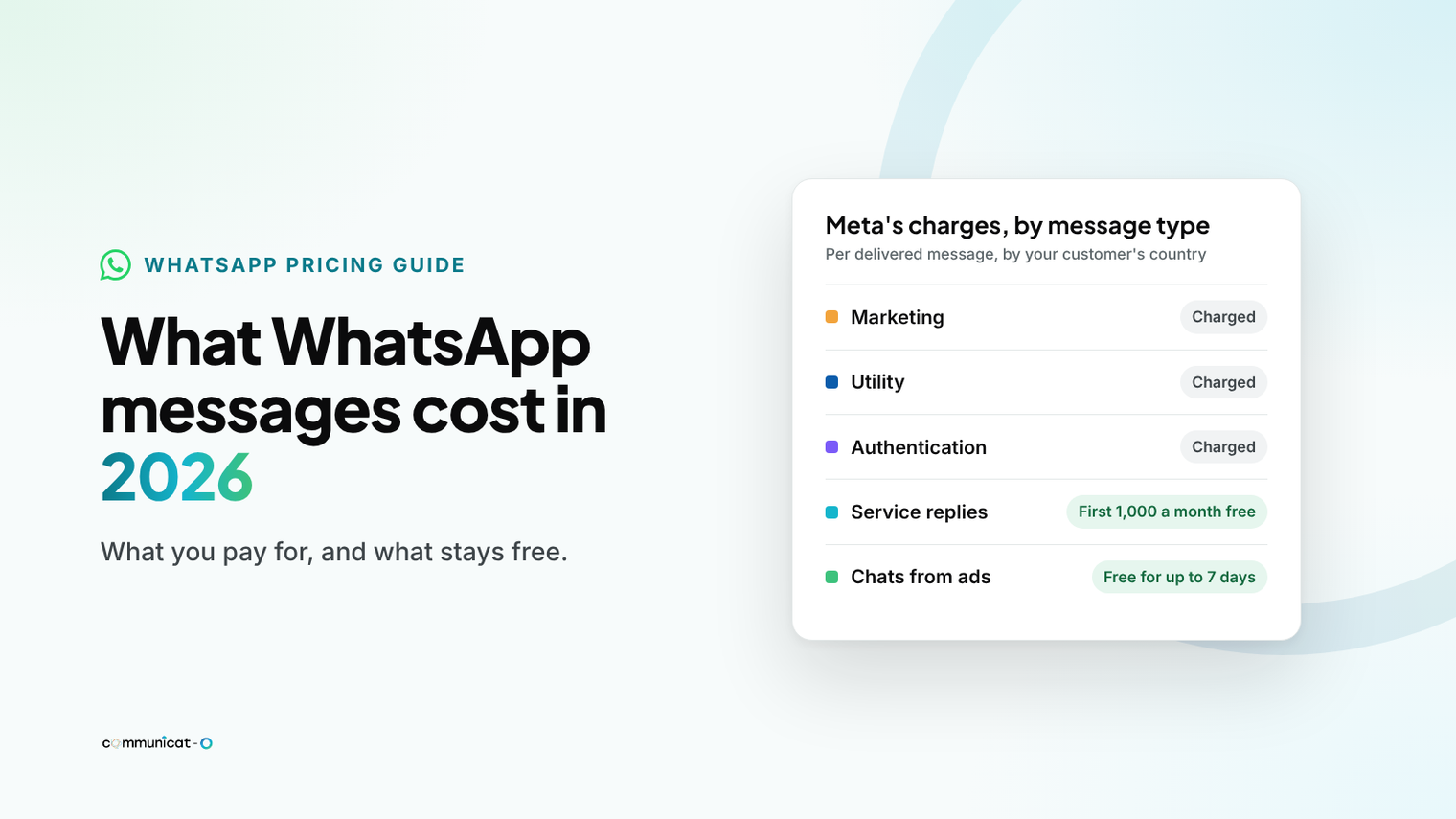
| Category | What it is | Everyday example | When it is charged |
|---|---|---|---|
| Marketing | A template that promotes products, services or offers | A festive-season discount for existing customers | Per delivered message, at the recipient country's marketing rate |
| Utility | A non-promotional template about a customer's order, account or request | An order confirmation or delivery update | Per delivered message, including inside an open 24-hour window since 1 October 2026. Lower rates at higher monthly volumes |
| Authentication | A template that verifies a customer's identity | A one-time password for login | Per delivered message. Lower rates at higher monthly volumes |
| Service | A non-template reply sent inside an open 24-hour window | An agent answering "Is this in stock?" | The first 1,000 delivered per business phone number each month are free; after that, per delivered message |
The service allowance applies to each business phone number. It renews every month, and unused messages don't carry over. After that, each service message is charged at the utility rate of the recipient's market. Service messages get no volume discount.
Meta also has a fifth category, Meta Business Agent, for replies written by Meta's own AI agent. It is charged per token, not per message. This guide covers the four categories above.
Why the category matters
The category decides the charge, and you don't get to choose it freely. Meta checks each template against its guidelines.
- An order confirmation is usually utility. A discount offer is marketing. A one-time password is authentication.
- A template that mixes an order update with an offer counts as marketing.
- If you submit a template as utility and Meta judges it to be marketing, it is approved as marketing.
- Meta can also re-categorise an approved template later.
Read how to get WhatsApp templates approved before you submit your next template.
What changed on 1 October 2026?
Before 1 October, the everyday replies your team typed inside the 24-hour window were not charged, and neither were utility templates sent in that window. Both are charged now, with one monthly allowance for service messages. The 24-hour customer service window opens when a customer messages or calls you, and resets each time they do it again.
| Message type | Before 1 October 2026 | From 1 October 2026 |
|---|---|---|
| Service replies (non-template, inside the 24-hour window) | Not charged | First 1,000 per business phone number each month not charged, then charged per delivered message |
| Utility templates | Charged per delivered message, except inside an open 24-hour window | Charged per delivered message, including inside the 24-hour window |
| Marketing templates | Charged per delivered message | Charged per delivered message |
| Authentication templates | Charged per delivered message | Charged per delivered message |
What this means for you:
- Busy support numbers feel it first. A number that sends 1,200 service replies in a month pays for 200 of them.
- Keep a payment method on your WhatsApp account. Without one, Meta can stop delivering service messages once the free 1,000 are used.
- Volume discounts haven't changed. They still apply to utility and authentication messages, not to service messages.
- Some country rates changed on the same date. Check the rate cards for the markets you message.
What WhatsApp messages are still free?
Three things are not charged: messages from customers to you, the first 1,000 service messages per number each month, and messages inside a free entry point window. The free entry point window works like this:
- A customer taps a click-to-WhatsApp ad and messages you from the WhatsApp app on an Android or iOS phone. Messages from WhatsApp on a desktop or the web don't qualify.
- That message opens the usual 24-hour customer service window.
- You reply within those 24 hours, with a marketing, utility, authentication or service message. That reply is not charged, and it opens the free entry point window.
- While the window is open, Meta doesn't charge for those four categories. Meta says it can stay open for up to 7 days from your reply.
This is different from the 24-hour customer service window. The 24-hour window opens whenever a customer contacts you and decides when you can send non-template replies. The free entry point window opens only through the route above and decides when messages are not charged. Meta Business Agent replies are charged even inside it.
How to keep your WhatsApp bill under control
Keep utility templates purely transactional. Write what the customer needs to know about their order or account. An added offer moves the template into marketing.
Start chats from click-to-WhatsApp ads. Make sure your team replies within 24 hours, so the free entry point window opens.
Message only opted-in contacts. Meta lets you message only people who have agreed to hear from you. Keep track of consent, and remove opt-outs before every send.
Write clear, complete replies. Every service message after the allowance is charged, so one complete answer beats three fragments. Send "Yes, we open at 9 am, Monday to Saturday" instead of "Yes", "9 am" and "Mon to Sat".
Use bots for routine questions. Bots answer questions about opening hours or order status. Their replies are still service messages and count towards the allowance, so bots save your team's time, not message charges.
Review categories and usage every month. Before each campaign, check its goal, its template category and its audience. Each month, look at how many marketing, utility, authentication and service messages you sent. Meta's pricing analytics break delivered messages down by category and country.
How messaging is billed on Communicat-O
Communicat-O keeps two costs apart:
- Your plan, which is separate from messaging.
- Messaging, which runs on prepaid messaging credits. On WhatsApp, credits are used per delivered message, at Meta's own charge plus a small per-message fee.
The fee is shown on the pricing page, so you can see it before you buy. The plan doesn't include free WhatsApp messages. EngageX bots and journeys are included in every plan, but the messages they send follow Meta's rules above.
Plan your WhatsApp budget before your next campaign
Four things decide what you pay: the template categories you send, where your customers are, how many service replies each number sends, and whether your ad conversations open a free entry point window. Check Meta's current rate cards before your next campaign.
FAQs
Are WhatsApp replies free in 2026?
No. A reply inside an open 24-hour customer service window is a service message. Since 1 October 2026, the first 1,000 delivered service messages from each business phone number each month are free, and the rest are charged at the utility rate of your customer's market.
Why was my template charged as marketing?
Meta categorises templates by their content. A template that mixes a transactional update with an offer, such as an order update with a discount code, counts as marketing. Keep offers out of utility templates, and ask Meta for a review if you think a template was categorised wrongly.
Do charges depend on my country or my customer's?
Your customer's. Meta sets rates by the recipient's country calling code, not by where you are. A business in India messaging a customer with a Singapore number (+65) pays Singapore rates.
Does a customer's call open the window?
Yes. Meta's pricing page says the 24-hour customer service window starts when a customer messages or calls you, and resets when they message or call again before it ends.
Where can I see Meta's current rates?
On Meta's WhatsApp pricing page, which publishes rate cards by country and currency as CSV and PDF files. Meta can change rates only on the first day of a quarter, with at least a month's notice.
Sources: Meta, "Pricing on the WhatsApp Business Platform" (developers.facebook.com/documentation/business-messaging/whatsapp/pricing); Meta, "Non-template message pricing" (developers.facebook.com/documentation/business-messaging/whatsapp/pricing/non-template-messages); Meta, "Template categorization" (developers.facebook.com/documentation/business-messaging/whatsapp/templates/template-categorization). Checked 25 November 2026.
For more insights, updates and expert tips, follow us on LinkedIn.
 Chat on WhatsApp