Zalo and WhatsApp in one inbox: how it works
30 November 20266 min read
On this page
Your customers in Vietnam use Zalo. Your overseas buyers, partners and expats use WhatsApp. When two teams answer on two apps and a few personal phones, nobody sees the full picture.
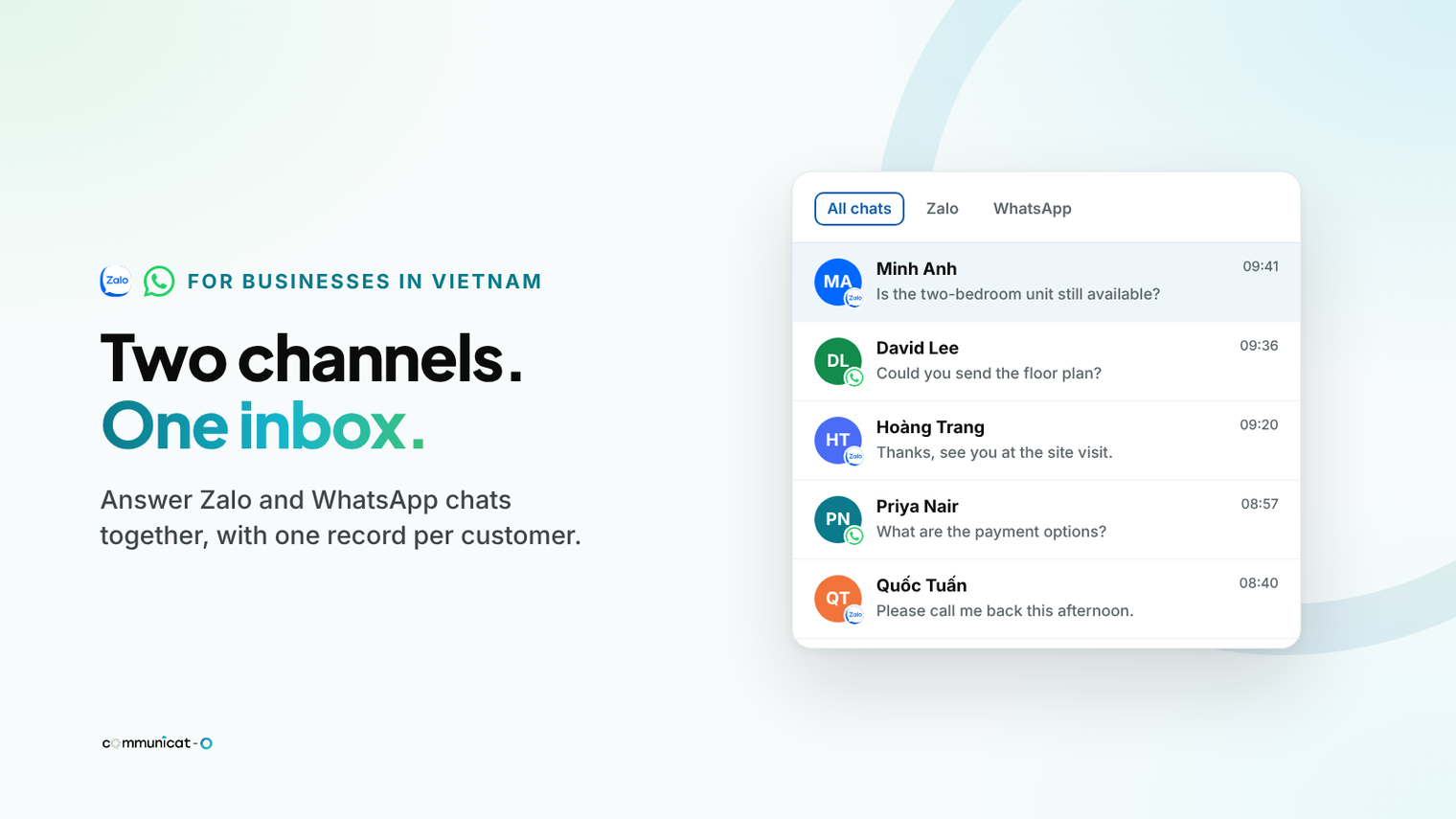
With Communicat-O, you run Zalo and WhatsApp in one inbox. Your team replies from one place, and every conversation is linked to the customer's contact record. Here is how it works, and where each channel's own rules still apply.
The problem with managing Zalo and WhatsApp separately
- Chats are split across two apps, so nobody sees a customer's whole conversation.
- Chats sit on staff phones, and when someone leaves, the history leaves with them.
- Managers can't see what each customer has been told.
- Customers repeat themselves when another agent takes over.
- Follow-ups are hard to coordinate, and reporting suffers.
How a shared Zalo and WhatsApp inbox works
1. Connect both channels. Connect your Zalo Official Account (OA) and your WhatsApp number to Communicat-O. Customers keep using Zalo and WhatsApp as they do now and install nothing. Our Zalo OA CRM page covers the Zalo channel in more detail.
2. Receive everything in one place. Conversations from both channels arrive in one shared team inbox. Agents stop switching between apps.
3. Send each channel to the right team. Each Zalo OA and each WhatsApp number can go to its own team. Your Vietnam customer-care team can take Zalo chats while your international sales team takes WhatsApp. Queues, assignment rules, round robin and skills-based routing organise the work.
4. Bring customers back to the same agent. When a customer writes again, the chat goes back to the same agent, under your routing rules. Nobody has to repeat themselves.
5. Keep the history on the record. Each conversation is linked to the customer's contact record. Communicat-O is built around contacts and accounts.
Take a property developer in Ho Chi Minh City. A local buyer asks about a two-bedroom unit on Zalo. The same day, an overseas Vietnamese buyer asks about the same project on WhatsApp. Both chats reach the same shared inbox. The Zalo chat goes to the Vietnam sales team and the WhatsApp chat to the international team. When either buyer writes again, the chat goes back to the same agent.
Zalo and WhatsApp: what is different?
Zalo and WhatsApp are separate platforms. Each sets its own rules for replying to customers, for messages a business starts, and for charges. Communicat-O works within each platform's rules.
| Area | Zalo OA | |
|---|---|---|
| Replies to customers | Consultation messages (Tin Tư vấn), under Zalo's interaction and sending rules | Non-template replies inside the 24-hour customer service window |
| How long you can reply | Up to 365 days after the customer's last interaction in OA Manager, or up to 7 days through the OA OpenAPI | 24 hours from the customer's last message |
| Messages you start | ZBS Template Messages, approved by Zalo before sending | Approved WhatsApp templates |
| Charges | Under Zalo's own pricing rules. Replies within 48 hours of the customer's last interaction are free | Under Meta's pricing rules. Since 1 October 2026, replies are charged after 1,000 free service messages per business phone number each month |
Zalo runs two separate clocks
Tin Tư vấn is Zalo's message type for replying to customers and answering questions about your products or services. Zalo separates when you can send from when sending is free.
- Who you can reply to: customers who have interacted with your OA and have not blocked it. Messaging, calling, commenting and using a menu all count as interactions.
- Sending window: up to 365 days from the customer's last interaction in OA Manager, or up to 7 days through the OA OpenAPI.
- Free window: replies within 48 hours of the customer's last interaction are free. After that, Zalo's price list applies.
A ZBS Template Message is Zalo's template-based business message. Zalo approves each template before you send it. Typical uses are transaction updates, customer-care notices and after-sales messages. Since 1 January 2026, Zalo has brought its template formats together under ZBS.
WhatsApp runs on the 24-hour window
The 24-hour customer service window starts with the customer's message and resets with each new one. Inside it, you can send non-template replies. Outside it, you need an approved WhatsApp template. Replies in the window are charged once a number has used its 1,000 free service messages for the month. Don't assume a WhatsApp window applies to Zalo, or the reverse. Read more on the WhatsApp channel page.
Bots, broadcasts and follow-ups from one place
EngageX builds no-code bots, customer journeys and follow-up sequences. It is included in every plan, with no limit on bot runs.
Bots. Take the property developer again. One no-code bot can answer routine questions on Zalo and on WhatsApp. When a buyer needs a person, your team picks up the chat in the shared inbox.
Broadcasts and templates. Send approved templates and broadcasts to chosen lists of opted-in contacts, now, at a set time or on a repeat. On Zalo, you send ZBS Template Messages. On WhatsApp, you send approved WhatsApp templates. Each channel's consent and template rules still apply.
Follow-up sequences. EngageX sends the next message after a wait you set. For example:
- Day 1: welcome the new enquiry and answer their question.
- Day 3: ask if they need more information.
- Day 7: send a final reminder with a next step.
Each reply lands in the shared inbox, on the customer's record. Check each channel's timing rules: on WhatsApp, a message outside the 24-hour window needs an approved template; on Zalo, check the sending and free windows above, or use a ZBS Template Message.
Keep your team and customer conversations organised
A hotel's guest-relations team can answer local guests on Zalo and international guests on WhatsApp, with every chat on the guest's record. An education agency can talk to Vietnamese parents on Zalo and to overseas partner schools on WhatsApp, and hand chats between advisers.
The shared inbox supports that work with:
- queues and assignment rules, which decide which team gets a new chat
- round-robin assignment, which shares chats evenly across agents
- skills-based routing, which sends each chat to an agent with the right skills, including language
- internal notes, so one agent can leave context for the next
- saved replies for common questions
- response timers, so your team keeps track of response times
- the Salesforce mobile app, so agents can work from their phones.
Add AI with mAI
mAI, Communicat-O's AI agent, is a paid add-on. It is separate from EngageX, which every plan includes. mAI can:
- reply to customers on its own
- answer from your own knowledge base
- hand the chat to a person, with a summary
- suggest replies to your agents
- summarise conversations.
Start managing Zalo and WhatsApp together
- 14-day free trial, with no credit card needed.
- Free onboarding.
- Switching providers? Keep your WhatsApp number.
See the pricing plans for current details, then try Zalo and WhatsApp in one inbox for yourself.
FAQs
Can several agents answer one Zalo OA?
Yes. Once you connect your OA, its chats arrive in your shared inbox, and queues, assignment rules, round robin and skills-based routing decide who answers. Agents work from the shared inbox, not their own phones, and use internal notes to hand over.
What is a ZBS Template Message?
It is Zalo's template-based business message. Zalo approves each template before you send it, and it is used for transaction updates, notices and after-sales messages. Since 1 January 2026, Zalo has brought its template formats together under ZBS.
Can I keep my WhatsApp number?
Yes. If you switch to Communicat-O from another provider, you keep your WhatsApp number, and onboarding is free.
Do I need a Zalo OA?
Yes. You connect your own Zalo Official Account to use the Zalo channel.
Can I add Messenger and Instagram later?
Yes. Alongside Zalo and WhatsApp, Communicat-O supports Messenger, Instagram, Telegram, LINE, Viber, WeChat, WeCom, SMS, RCS for Business and Web Chat.
Sources: Zalo, "Tin Tư vấn" (oa.zalo.me/home/documents/guides/tin-tu-van); Meta, "Pricing on the WhatsApp Business Platform" (developers.facebook.com/documentation/business-messaging/whatsapp/pricing). Checked 25 November 2026.
For more insights, updates and expert tips, follow us on LinkedIn.
 Chat on WhatsApp