What is the WhatsApp 24-hour customer service window?
19 November 20262 min read
Short answer
It is the 24 hours after a customer last messages or calls your WhatsApp business number. Inside the window you can reply with any kind of message; once it closes, you can only reach the customer with a template Meta has approved. Each new message or call from the customer restarts the 24 hours.
Who this is for
Teams that answer customers on the WhatsApp Business Platform and need to know when they can reply freely, when they need a template, and what each costs.
Step by step
- Reply while the window is open
Inside the 24 hours you can send any message: text, images, documents or buttons.
- Watch the clock
Response timers show managers which chats are waiting, so replies go out before the window closes.
- Use a template once it closes
After 24 hours, start again with a template Meta has approved. If the customer replies, a new window opens.
- Use the free window from ads
When a customer reaches you from a click-to-WhatsApp ad and you reply within 24 hours, Meta charges nothing for your messages for up to 7 days.
- Message only people who opted in
Meta expects businesses to message only people who agreed to hear from them, inside or outside the window.
What the window costs
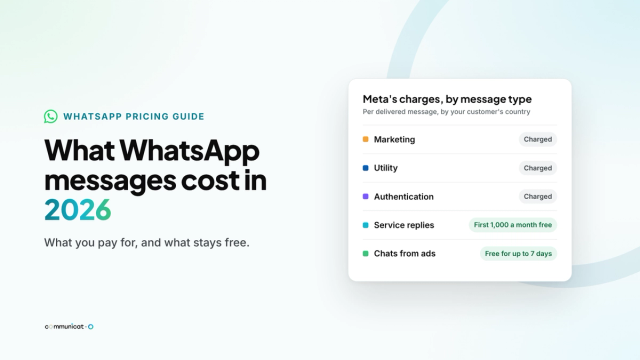
Since 1 October 2026, Meta charges per message for replies sent inside the 24-hour window, at a rate set for each country, after 1,000 free replies per business phone number each month. Templates are charged by category (marketing, utility or authentication) and by the customer's country. Messages stay free for up to 7 days when a chat starts from a click-to-WhatsApp ad and you reply within 24 hours.
On Communicat-O, WhatsApp messages are paid with prepaid messaging credits, at Meta's cost plus a small per-message fee shown on the pricing page.
Templates outside the window
- Marketing: offers, announcements and anything promotional
- Utility: updates on something the customer did or asked for, with no promotion
- Authentication: one-time codes that confirm who the customer is
A template that mixes an update with an offer counts as marketing. See How do I get WhatsApp template messages approved?.
Frequently asked questions
Does the window reset?
Yes. Each new message or call from the customer restarts the 24 hours.
Are replies inside the window free?
Not any more. Since 1 October 2026, Meta charges for replies inside the window, after 1,000 free replies per number each month. Chats from a click-to-WhatsApp ad stay free for up to 7 days when you reply within 24 hours.
What can I send after 24 hours?
Only a template Meta has approved. If the customer replies, a new 24-hour window opens.
Does a phone call open the window?
Yes. A call from the customer opens or restarts the 24 hours, just as a message does.
Do Instagram and Messenger work the same way?
Both let a business reply for 24 hours after the customer's last message, and each new message opens a new window.
For more insights, updates and expert tips, follow us on LinkedIn.
 Chat on WhatsApp