

Imagine receiving a request or query on Zalo at 9p.m. The user asks for pricing details. After three weeks, someone else from the same company contacts your team, reminding them of a previous discussion.
This is the reality of B2B buying in Southeast Asia today, where Zalo has become a working channel for procurement questions, not just casual chat. A Zalo CRM System changes what happens next. Instead of that conversation sitting in an app separate from your pipeline, it becomes part of the lead record, visible to whoever picks up the account next.
Why a Connected Workflow Matters More Than a Connected Inbox
Getting and viewing the Zalo messages within a CRM screen is just the beginning of it all. It is the change that the discussion brings to the sales record that truly makes a difference.
When there is a qualifying question from a potential client, the lead needs to be updated. If a salesperson makes a commitment of follow-up, the task needs to be created. Finally, when a deal happens, the discussion needs to move along with the account, not remain in a different app altogether.
That is the difference between a messaging app placed next to your CRM and a workflow where conversations and sales activity move together, which matters most for teams managing longer cycles and multiple stakeholders.
From First Message to Account Record: How the Workflow Flows
A B2B deal rarely closes after one conversation. It moves through stages, and each stage needs different information available to the person handling it.
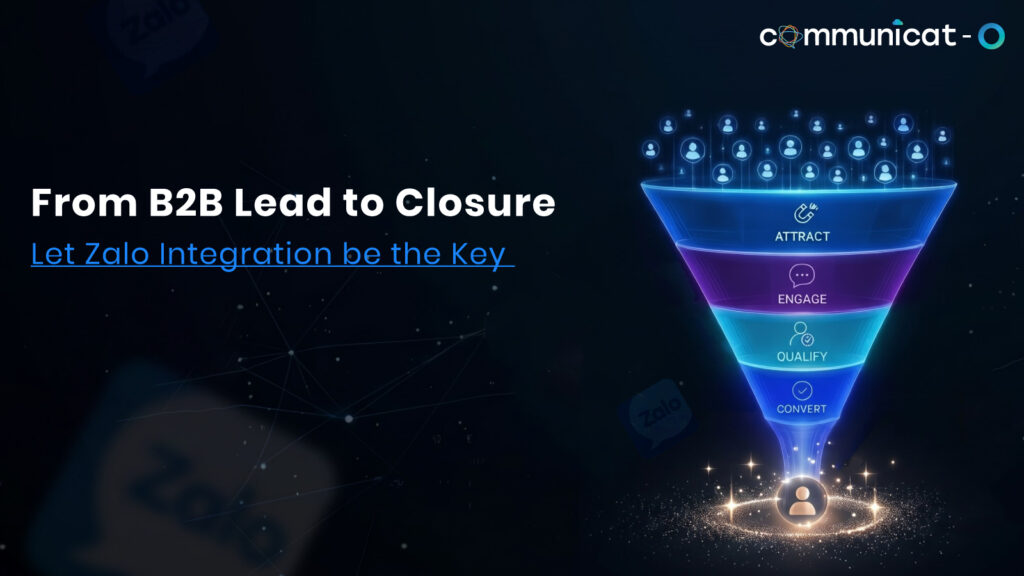
| Sales stage | What happens in the conversation | What the CRM workflow does |
| First contact | A prospect messages through a Zalo Official Account with a question | The message becomes a lead, tagged with source and context |
| Qualification | A rep asks about budget, timeline, or use case | Lead status and key details update inside the record |
| Follow-up | The conversation continues over days or weeks | Every message stays attached to the same lead, not scattered chats |
| Opportunity | The prospect confirms interest in moving forward | The lead converts, and conversation history carries into the opportunity |
| Ongoing account | The buyer becomes a customer with recurring needs | Past conversations remain searchable inside the account record |
The design is what an operational integration with Zalo CRM is supposed to achieve. The aim is not for the messages in Zalo to be stored within Salesforce. The idea is for each message to drive the record forward instead of remaining stagnant in a thread.
Account Context Changes How B2B Deals Move Forward
There is a real difference between knowing what someone said in their last Zalo message and understanding the relationship a company has had with your business.
B2B purchases rarely involve one decision-maker. A technical evaluator might ask about integrations in week one. A procurement contact might raise pricing questions in week three. A different stakeholder might return months later once budget approval comes through.
Imagine yourself trying to get your machinery approved by an existing distributor. The first contact you make is with the operations manager, followed by the finance manager two weeks later inquiring about payment terms, not knowing that the specifications have already been discussed before.
All these conversations taking place within one account can be linked together, making it easier for the second representative to see what has already been established by the first representative. This is difficult to do without having these conversations within your CRM.
Putting Conversation History to Work
Conversation history is only useful if the people who need it can actually find it. A few situations make this obvious in daily sales work:
- The new salesperson has inherited the account and must be able to view previous conversations on Zalo before making the first call, rather than asking for screenshots from a former salesperson colleague.
- The prospect comes back after being gone for six weeks, and the salesperson is able to look at the history and see where everything stood.
- The customer asks about something that “we discussed previously,” and the salesperson can bring it right up.
- A sales manager reviews how a deal is progressing and reads the actual exchange, not just a status field.
- Multiple representatives handle different aspects of the same account without duplicating questions the customer already answered.
None of this requires the customer to repeat themselves. It requires the conversation to sit where the sales record already lives.
Where Automation Fits Without Replacing the Conversation
Automated follow-up works best when it removes small, repetitive tasks so a salesperson can focus on the conversation itself, not when it tries to replace human judgment.
Practical uses inside a connected workflow look like this:
- New lead notification: A rep is alerted the moment a Zalo message creates a new lead record.
- Lead assignment: An incoming call is routed to the appropriate salesperson depending on territory, product line, or account management.
- Reminder follow-up: If there is no response from the lead within a certain number of days, then an automated task is set up.
- Status update: Any change in the status of an opportunity in the CRM triggers a follow-up email to be set up.
- Post-conversation task: The salesperson is prompted to send out a document right after the qualifying conversation.
- Opportunity follow-up: Milestones such as sending out a contract or completion of a demo trigger the next follow-up action.
The salesperson still writes the message and makes the judgment call. Automation just makes sure nothing falls through during a long sales cycle with multiple touchpoints.
What to Check Before Connecting Zalo to Your CRM
Not every setup delivers the same value. Before connecting a messaging channel to your CRM workflow, it helps to look closely at a few areas:
- Conversation history: Confirm past and ongoing messages are retained and searchable at the lead and account level, not just visible in real time.
- Visibility of the lead: Ensure that any new conversation initiates or updates leads automatically and not manually.
- Ownership of sales: Ensure conversations are sent to the right representative according to existing rules of assigning the conversation.
- Workflows for follow-ups: Search for workflow solutions where reminders and tasks automation are helpful but don’t replace the human interaction with follow-ups.
- Visibility of the team: Ensure that in the absence of the conversation owner, the manager or backup agent can have access to the conversation context.
- Reporting: Ensure the possibility to generate basic reports on activities and engagement in your existing CRM.
- Compatibility with an existing CRM: Make sure that the integration will work in your existing Salesforce environment without implementing any new tools.
All of these aspects play a bigger role than a long list of features, since they indicate the sustainability of your workflow in case the number of conversations grows.
Conclusion
A working Zalo CRM System is not really about moving messages from one app to another. It is about making sure a customer conversation changes what a sales record shows, so the next person who opens that record, whether it is the same rep two weeks later or a colleague picking up the account, starts with context instead of a blank slate.
For B2B teams selling into environments where Zalo is a part of business communications, it is this link between chat conversations and sales pipeline that makes a messaging channel a real part of the sales process. Linking Zalo to an existing and proven CRM platform in Salesforce means having the leads, accounts, and conversation history all work with the same data set instead of two separate systems.
Studies by Gartner regarding B2B buying behavior reveal that the buyers increasingly jump between multiple digital platforms, AI tools, and face-to-face sales conversations within a single purchasing decision process, which is another reason why no channel, Zalo included, should be kept out of your CRM.
If your team is currently managing Zalo conversations separately from your sales records, it may be worth exploring a Zalo integration built for CRM workflows, or requesting a demo to see how conversation history, lead management, and follow-ups can work together inside one system.
FAQs
How do you use Zalo CRM integration for B2B sales?
Zalo CRM integration links the messaging on a Zalo Official Account to CRM data, thus allowing new conversations to generate leads, existing interactions to be linked to the accounts, and responses to be made within the CRM itself.
Is it possible to connect Zalo conversations with Salesforce?
Yes. Through a Salesforce Zalo CRM integration, all conversations, lead information, and account history can be placed in Salesforce with all the rest of the sales activity, instead of a separate messaging app.
Can Zalo leads be processed via the CRM like any other sales leads?
Yes. Once Zalo CRM System detects a conversation as a lead, it is able to qualify, assign, and process a lead through all the standard pipeline stages of other sources.
Are there any considerations prior to implementing Zalo and CRM integration?
Make sure to examine conversation history preservation, accuracy of lead routing, follow-ups automation and the compatibility of implementation with your current Salesforce system.
For more insights, updates, and expert tips, follow us on LinkedIn.