

WhatsApp is not just a messaging app anymore. With over two billion active users globally, it is the channel your customers already use for everything from product enquiries and order updates to support requests and purchase decisions.
And for most businesses, it is the channel their CRM knows absolutely nothing about.
A lead messages your WhatsApp Business number asking about pricing. A sales rep responds from their personal device. The conversation went well. Then the rep is away for three days and the lead, along with every detail of that conversation, exists nowhere except on one person’s phone.
This is what happens when WhatsApp integration CRM is missing from your business. Not a technology gap. An operational one. And it costs more than most businesses ever stop to calculate.
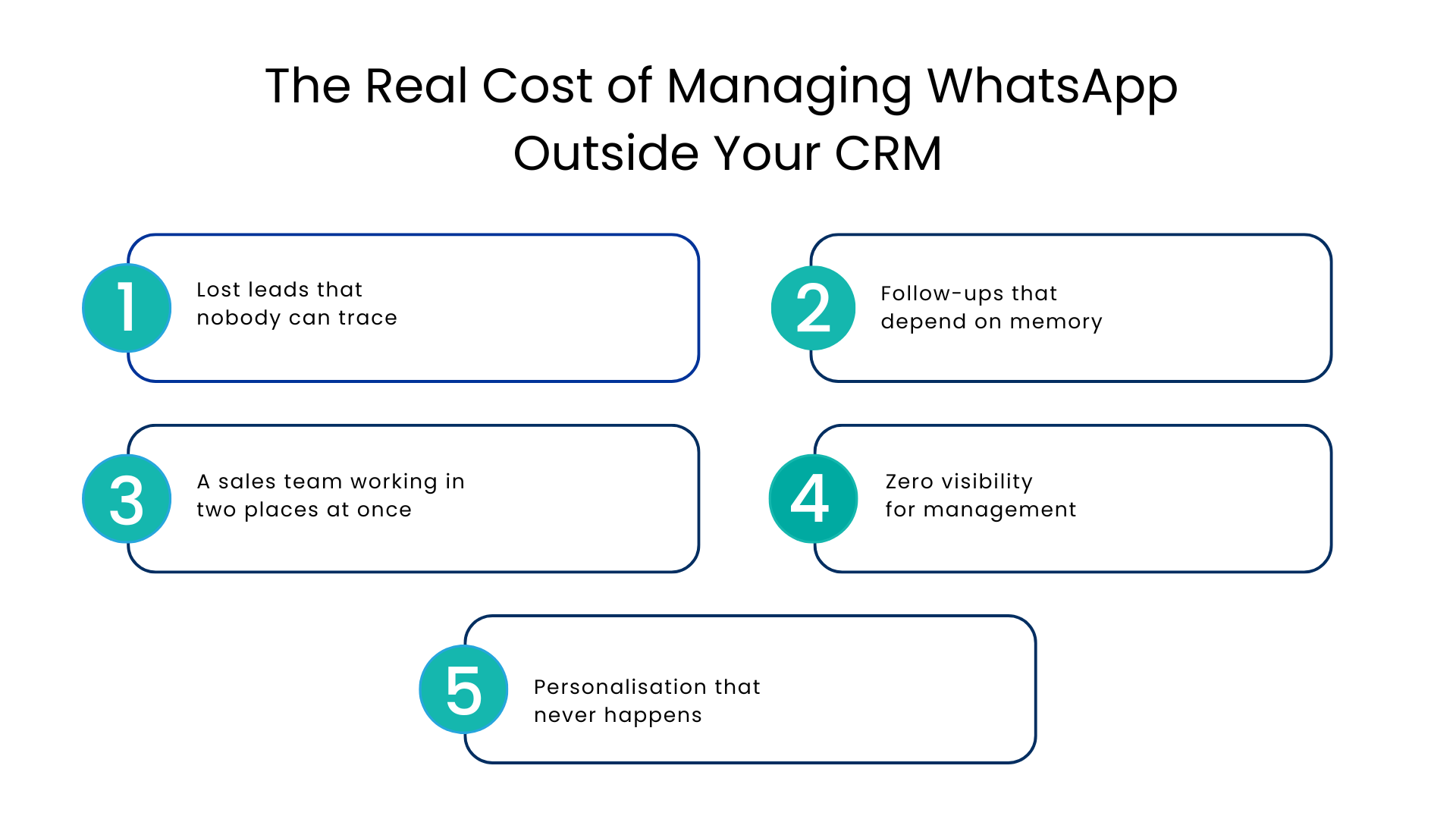
The Real Cost of Managing WhatsApp Outside Your CRM
Before getting into what the right setup looks like, it is worth being honest about what the wrong setup is actually costing.
Lost leads that nobody can trace
When WhatsApp conversations happen outside the CRM, they are invisible to everyone except the person who had them. No record, no task, no lead score. When that person is unavailable, the lead is gone.
Follow-ups that depend on memory
Without WhatsApp integration CRM automation, follow-ups only happen when someone remembers to do them. At scale, that is not a system, it is a gamble. And the leads your competitors follow up on first are the ones they close.
A sales team working in two places at once
Your reps are switching between Salesforce and WhatsApp dozens of times a day. Every switch breaks focus, costs time, and creates another opportunity for something to slip through the gap. This is not how a high-performing sales operation should work.
Zero visibility for management
How many WhatsApp leads came in this week? What is the response time? Which conversations are active? Which ones converted? Without proper WhatsApp business CRM integration, management is flying blind on one of the highest-volume customer channels the business has.
Personalisation that never happens
When WhatsApp is disconnected from the CRM, every conversation starts from scratch. The agent has no idea about past purchases, previous complaints, or where the customer is in the sales cycle. The result is a conversation that feels generic and a customer who feels like a number.
What Happens After a Business Integrates WhatsApp with CRM?
When you integrate WhatsApp with CRM, WhatsApp stops being a parallel operation and becomes a fully embedded part of how your business sells, supports, and communicates.
Here is what that looks like in practice:
Every WhatsApp conversation logged inside Salesforce automatically
The moment a customer messages your WhatsApp Business number, the conversation appears in Salesforce against the right contact record. If the contact does not exist, a new lead record is created instantly. No manual entry. No gaps. The conversation is in the CRM from the very first message.
Workflows that fire on WhatsApp activity
A new inquiry triggers an automated sequence; the lead is created, the right rep is notified, a follow-up task is assigned, and a nurture flow begins. The same CRM automation that runs on your emails and web forms now runs on WhatsApp too. Consistency across every channel, without the manual overhead.
Bulk broadcasts that are personalised and trackable
Need to reach hundreds or thousands of customers on WhatsApp? Communicat-O allows your team to send personalized bulk messages using dynamic Salesforce data fields, so every message feels individual even when it is part of a large-scale outreach. Every broadcast is tracked, every reply is captured, and responses feed back into your CRM automatically.
WhatsApp Calling directly from Salesforce
Communicat-O goes beyond messaging. With WhatsApp Calling integrated inside Salesforce, your sales team can make one-click voice calls to leads and customers without leaving the CRM. Every call is automatically logged, the conversation history is right there on screen, and there is no app switching involved. Faster connections, richer conversations, and a complete call record in Salesforce the moment the call ends.
Agentforce manages routine WhatsApp conversations around the clock
Communicat-O works natively alongside Salesforce Agentforce meaning AI agents handle routine WhatsApp enquiries automatically. FAQs, appointment confirmations, order status checks, product information, all managed without human intervention, 24 hours a day. When a conversation needs a human, it is escalated immediately with full context already loaded. Your team handles the conversations that actually need them, not every incoming message.
Smart message templates that keep communication consistent
Build and save approved WhatsApp message templates inside Communicat-O. Personalise them dynamically using Salesforce data fields customer name, product interest, and deal stage, so every message feels relevant without requiring individual composition. Less time writing, more time closing.
Complete conversation history, always attached to the right record
Every WhatsApp message from the very first enquiry to the most recent follow-up — is stored inside Salesforce and attached to the customer’s record. When any rep picks up a conversation, they have the full history immediately. No briefing required. No asking the customer to explain their situation again.
Why Does Salesforce WhatsApp CRM Matters So Much?
Not every WhatsApp CRM integration is built the same way. Some run through third-party connectors that sit outside the CRM, syncing messages with a delay, breaking when WhatsApp updates its API, and offering limited automation depth.
Salesforce WhatsApp CRM through Communicat-O works differently. It is built natively inside Salesforce; not connected to it from outside but embedded within it. That means WhatsApp conversations, workflows, AI automation, performance dashboards, and customer data all live in one place.
There are no external connectors to maintain, no sync delays to work around, and no gaps between the conversation and the CRM record.
For businesses serious about WhatsApp as a customer channel and not just for occasional messages but as a core part of their sales and support operation.
Conclusion
WhatsApp integration CRM is not just an ordinary feature upgrade. It is an operational necessity for any business where WhatsApp is a meaningful customer channel.
Without it, leads get lost, follow-ups are inconsistent, managers have no visibility, and your team is always working harder than they need to. With Communicat-O’s native Salesforce WhatsApp integration, every WA conversation is tracked, every lead is followed up on, every broadcast is measurable, and every rep has the context they need before they type a single word.
WhatsApp is where your customers are. Communicat-O makes sure your CRM is right there with them. Start your free trial.
FAQs
What is WhatsApp integration CRM?
It is a setup where your WhatsApp Business account is connected natively to your CRM, so every conversation is automatically logged, leads are created, workflows are triggered, and performance is tracked inside the CRM. Communicat-O does this natively inside Salesforce.
How does Communicat-O integrate WhatsApp with CRM?
Communicat-O is built inside Salesforce not connected from outside. WhatsApp conversations appear instantly in Salesforce against the right contact record, workflows fire on WhatsApp activity, and all performance data is visible in your Salesforce dashboard without any manual work.
Can I send bulk WhatsApp messages through Communicat-O?
Yes. Communicat-O allows personalised bulk broadcasts using dynamic Salesforce data fields so messages feel individual even at scale. Every broadcast is tracked and every response is captured back inside Salesforce automatically.
Does Communicat-O support WhatsApp Calling inside Salesforce?
Yes. Communicat-O includes WhatsApp Calling, one-click voice calls made directly from inside Salesforce, with automatic call logging and real-time CRM context on screen during every call.
For more insights, updates, and expert tips, follow us on LinkedIn.